
Description
Income and Expense Tracker Google Sheets Template | Diirzal
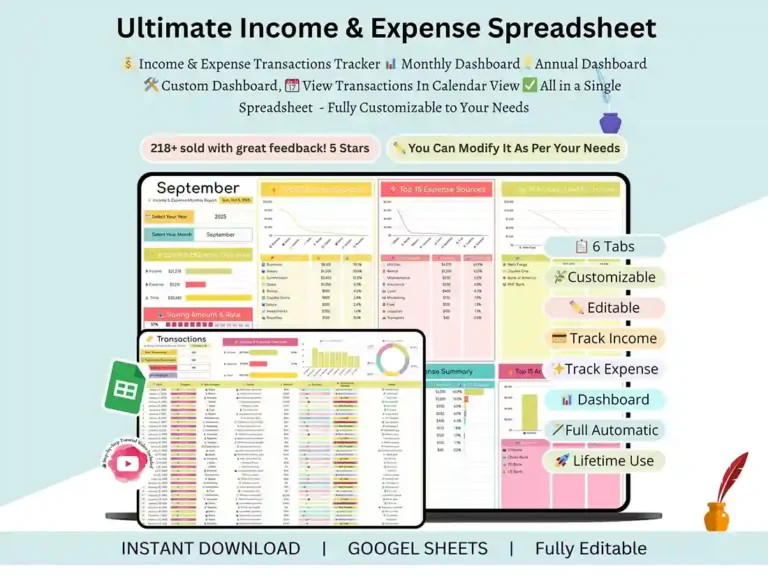
If you’ve been juggling receipts, bank statements, and a half-finished budget app, this income and expense tracker spreadsheet template is built to end that. It runs entirely in Google Sheets, so there’s nothing to install — you just open it, log your numbers, and let the dashboards do the thinking. It works equally well as a straightforward expense and income tracker for a single household or as a lightweight small business spreadsheet for income and expenses google sheets setup for freelancers keeping tabs on client income.
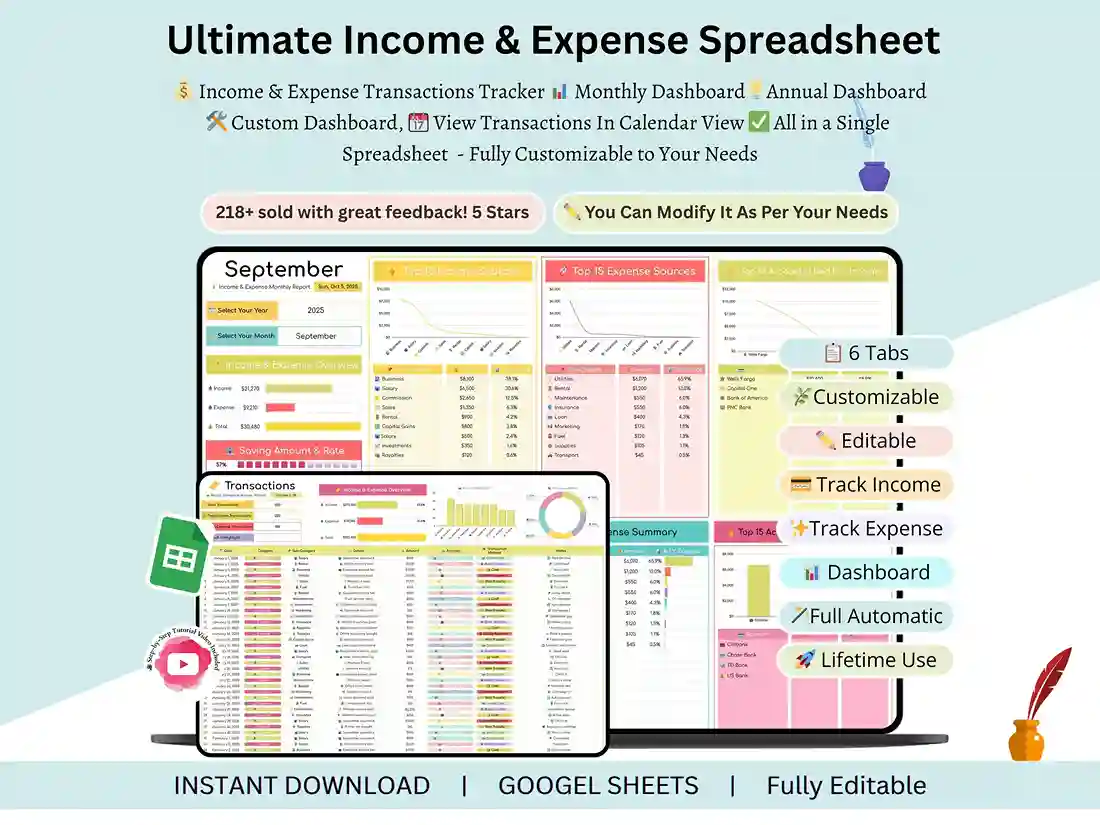
What’s Included (6 Smart Tabs)
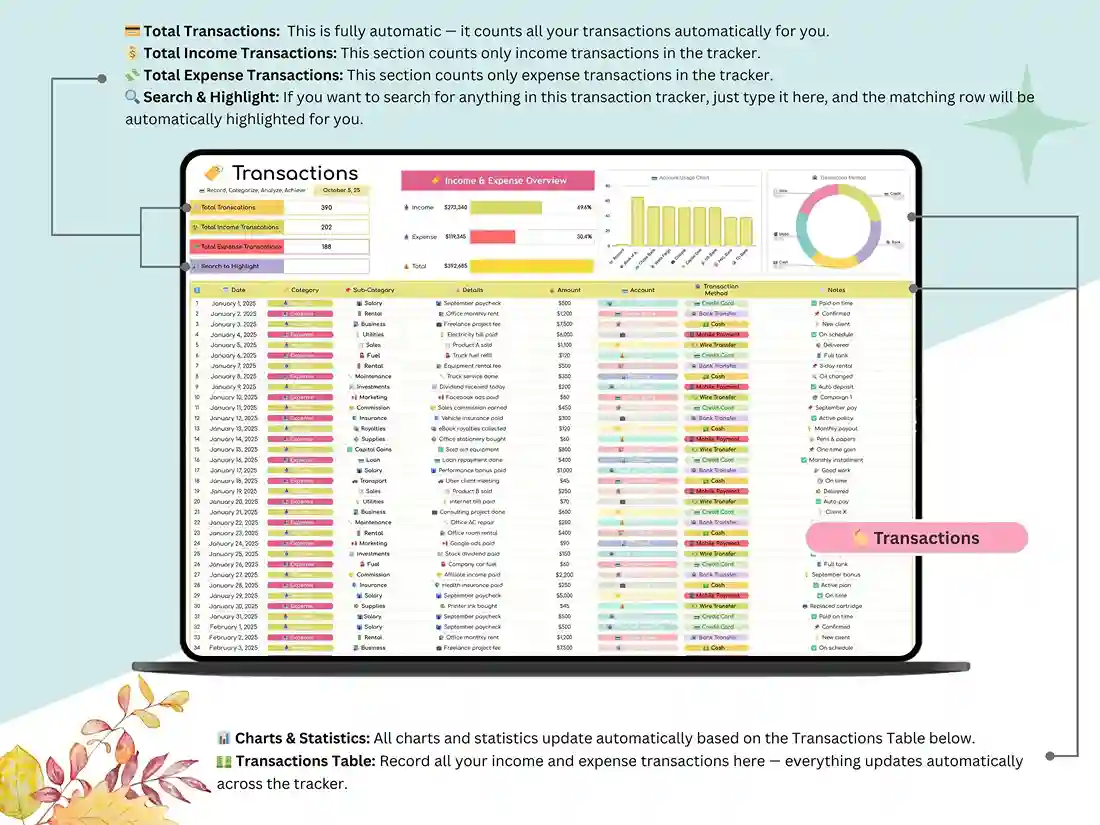
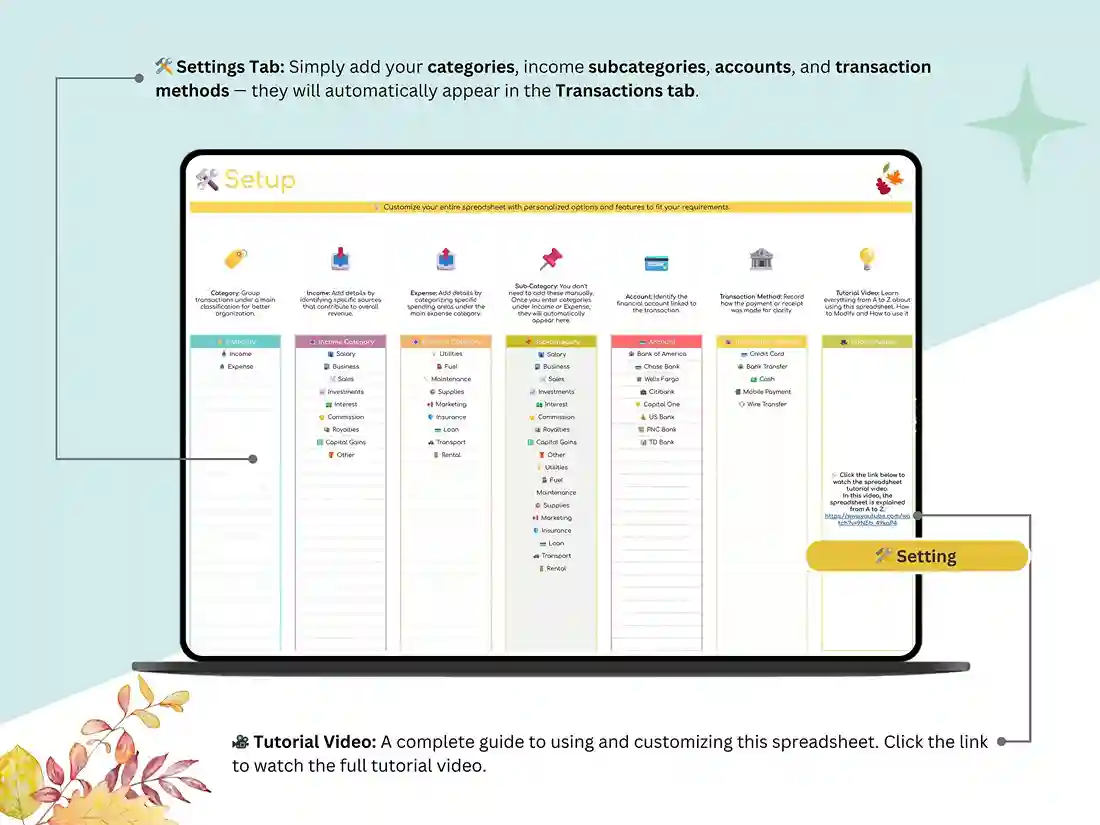
The Settings sheet is where you set your currency, categories, and financial year — a one-time setup that then flows through everything else. The Transactions sheet is your daily entry point: log income and expenses as they happen, and every other tab updates automatically behind the scenes.
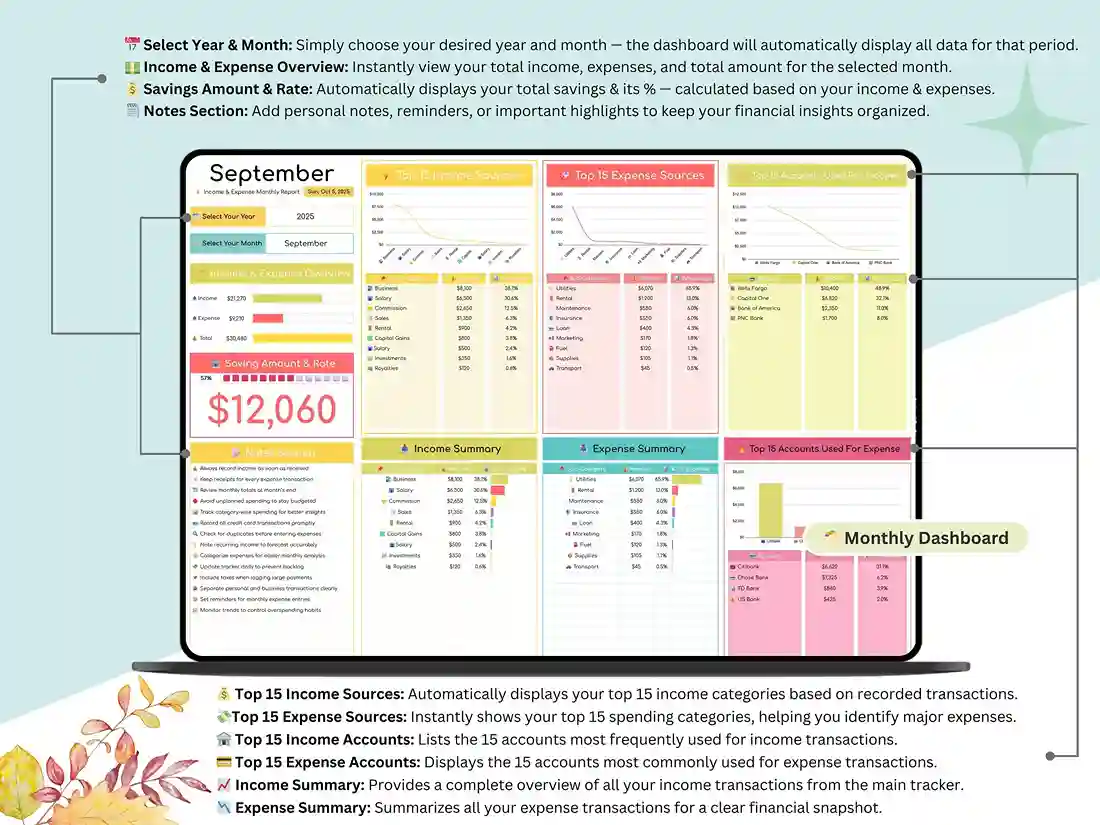
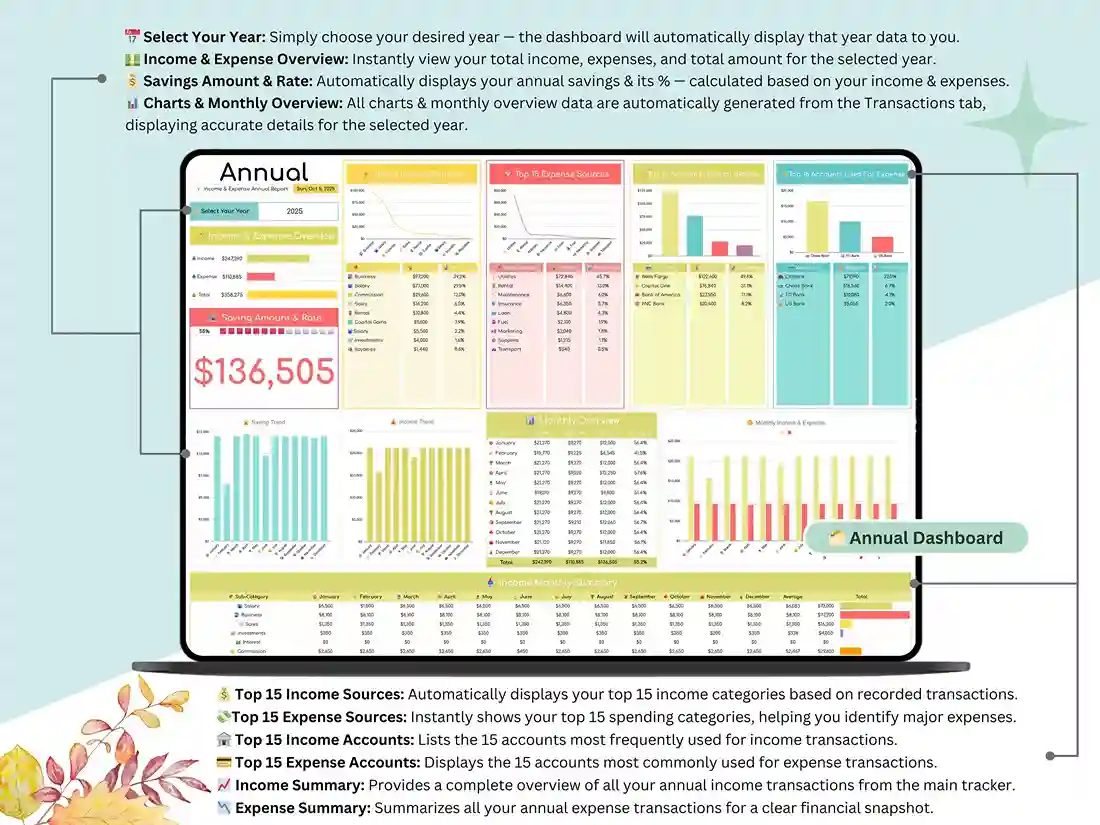
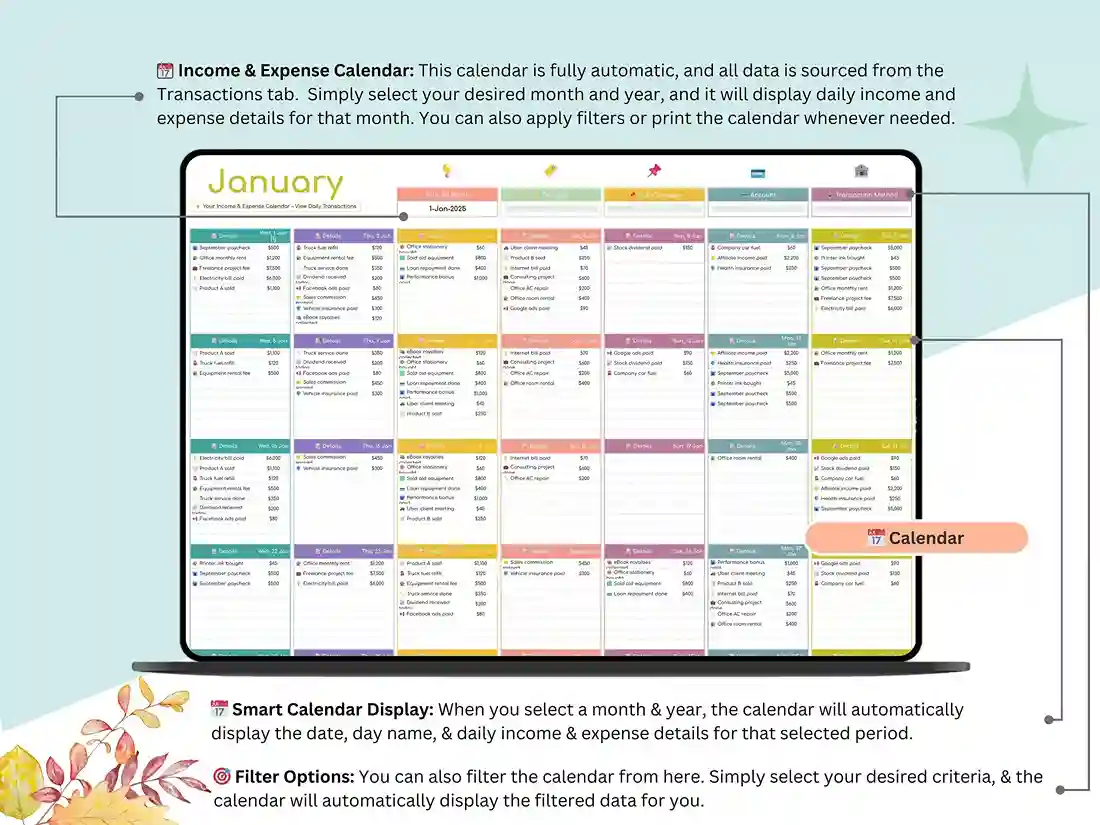
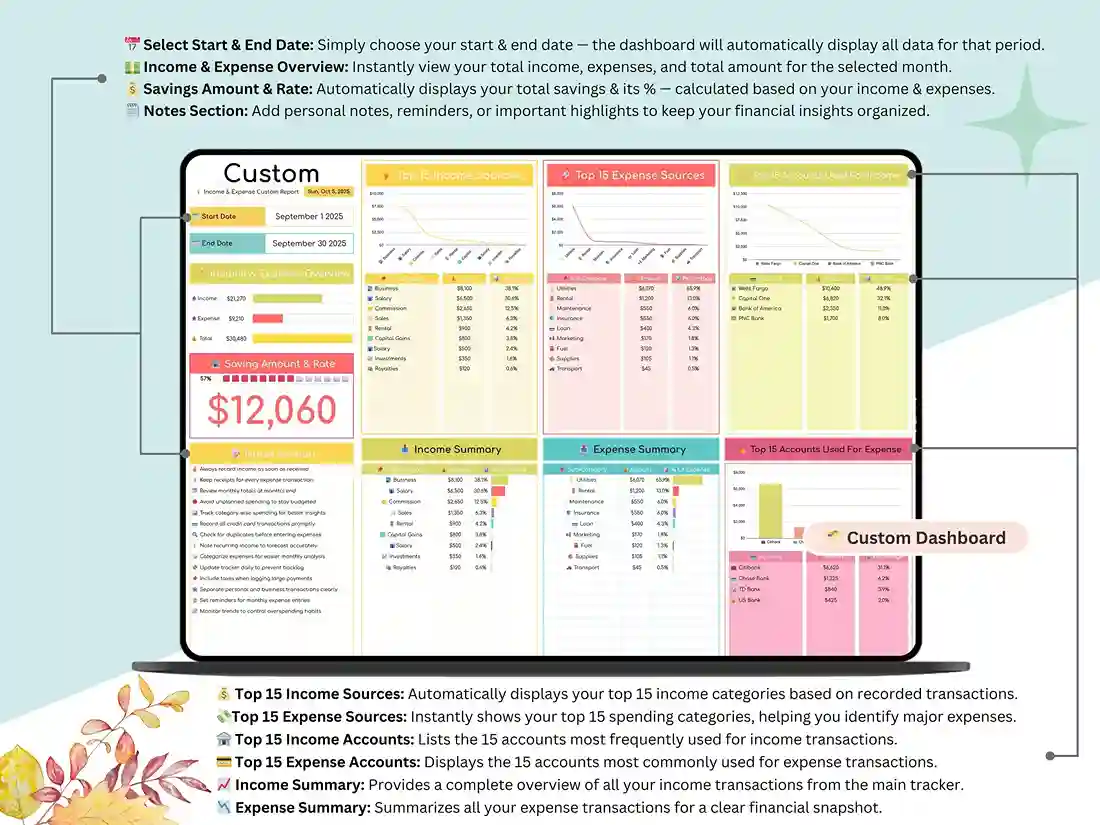
From there, the Monthly Dashboard gives you an at-a-glance read on balance, savings, and spending patterns through interactive charts, functioning as a genuine personal cash flow spreadsheet rather than just a static table. The Annual Dashboard zooms out to show income growth, expense distribution, and savings trends across the full year. If you want to dig into something more specific — a single category, a custom date range — the Custom Dashboard lets you build that view yourself. And the Income & Expense Calendar lays out daily totals across the month automatically, so you can spot high-spend days without scrolling through raw transaction rows.
Key Highlights
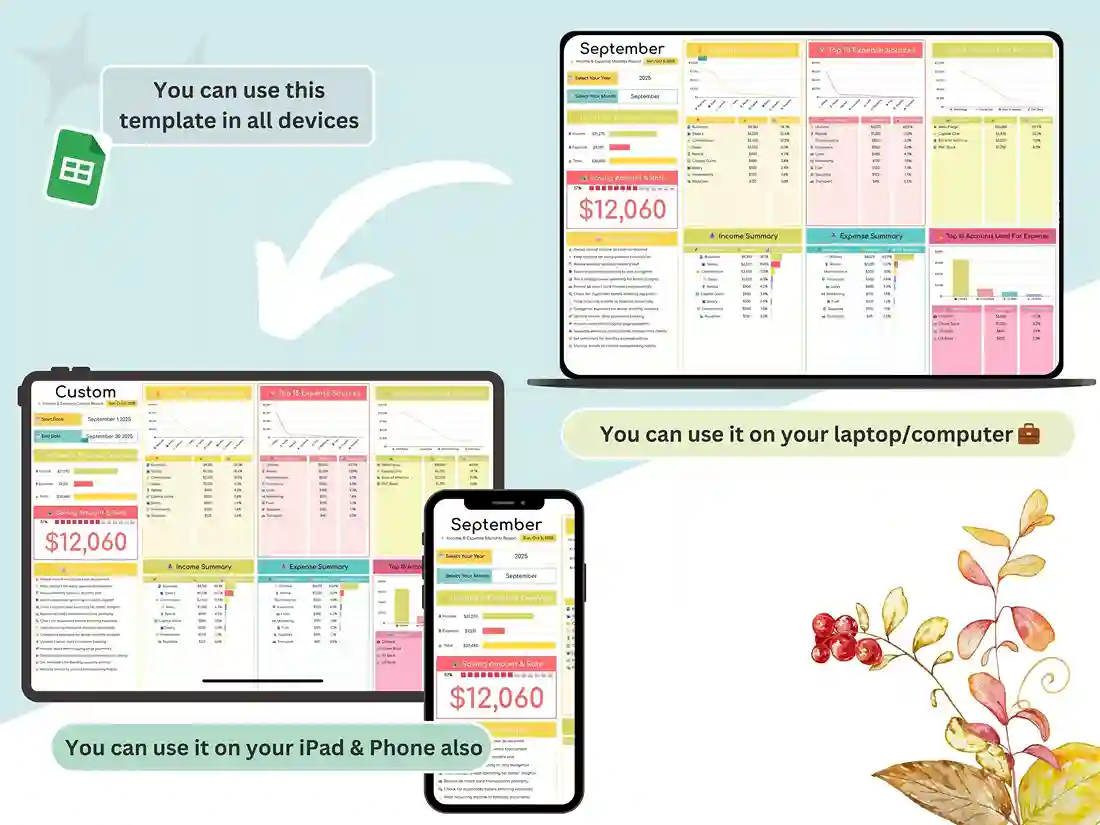
Everything recalculates on its own — no manual formulas, no broken cells when you add a row. The charts are genuinely readable, not just decorative, so the patterns in your spending actually show up rather than hiding in a wall of numbers. A built-in savings calculator tracks your rate automatically, and categories are fully editable, so whether you’re managing a personal budget, running it as a personalized budget planner for a couples’ shared finances, or tracking a business income expense sheet for a small side hustle, it adapts to how you actually spend. Switch between months or years instantly to compare progress, and since it’s Google Sheets, it works identically on desktop, tablet, or phone — no software to buy or update.
What You’ll Get
A Google Sheets income and expense tracker google sheets template (instant access link) plus a video tutorial walking through setup and customization.
Ideal For
Freelancers, small business owners, couples or families tracking shared finances, anyone who wants to get a clearer picture of where their money actually goes, and managing a personal budget.
How It Works
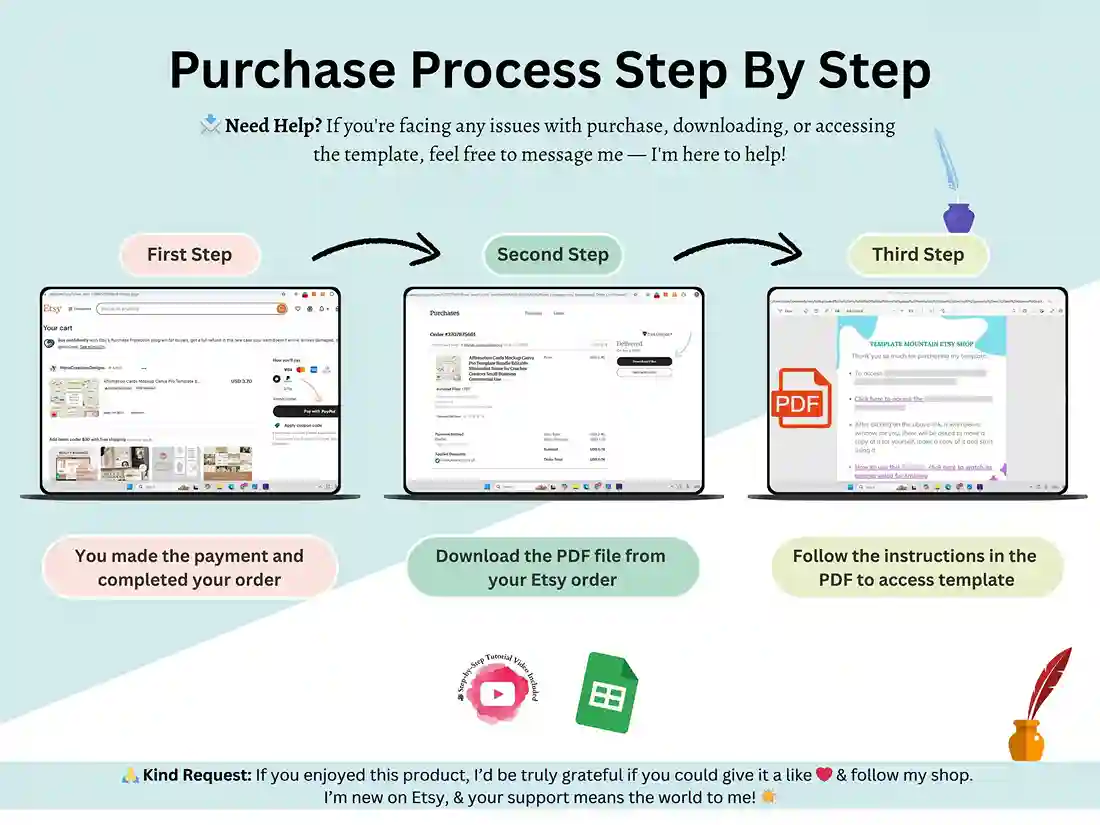
Purchase and download your file, open the included PDF, and click through to the Google Sheets link. Customize your settings once, and you’re recording income and expenses within minutes.
Support & Feedback
Need help setting it up? I’m just a message away. If this template saves you time, a review helps a lot — it’s how I know what to build next.
FAQ
Is this an Excel file or Google Sheets?
This is a Google Sheets template, accessed via a shareable link — not a downloadable .xlsx file. It works in any browser and syncs across devices automatically.
Can I use this for a small business, or is it just personal finance?
Both. The categories are fully editable, so freelancers and small business owners commonly use it alongside personal budgeting.
Do I need to know spreadsheet formulas to use it?
No. Every calculation, chart, and dashboard updates automatically from your entries in the Transactions sheet.
Can I change the currency or categories?
Yes — the Settings sheet lets you set your currency and customize income/expense categories to match how you actually spend.
Will this work on my phone?
Yes. Since it’s built in Google Sheets, it works the same on desktop, tablet, and mobile through the Google Sheets app or browser.
Is there a pdf or print version of this?
No, it’s a digital, cloud-based tool in Google Sheets, not a printable PDF. It has to be populated with live data entry, not manual.
Reviews
There are no reviews yet.