
Description
Google Sheets Income & Expense Tracker Template
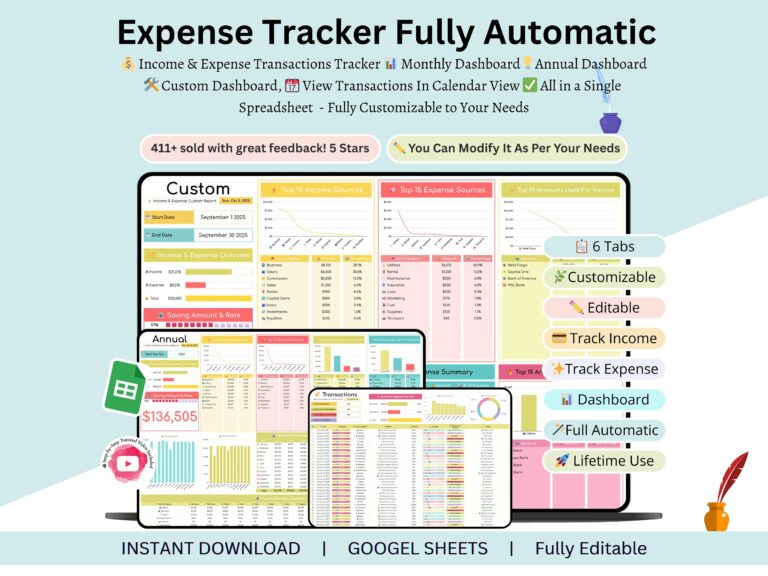
Where did your paycheck actually go this month? Most people can’t answer that with any confidence. This google sheets income and expense tracker fixes that — you log what comes in and what goes out, and the dashboards build themselves. No formulas to wrestle with. No spreadsheet headaches.
Doesn’t matter if you’re running a household budget, tracking a side hustle, or keeping tabs on a small business — this income and expense tracker google sheets template gives you a clear read on your money without the busywork that usually comes with it.
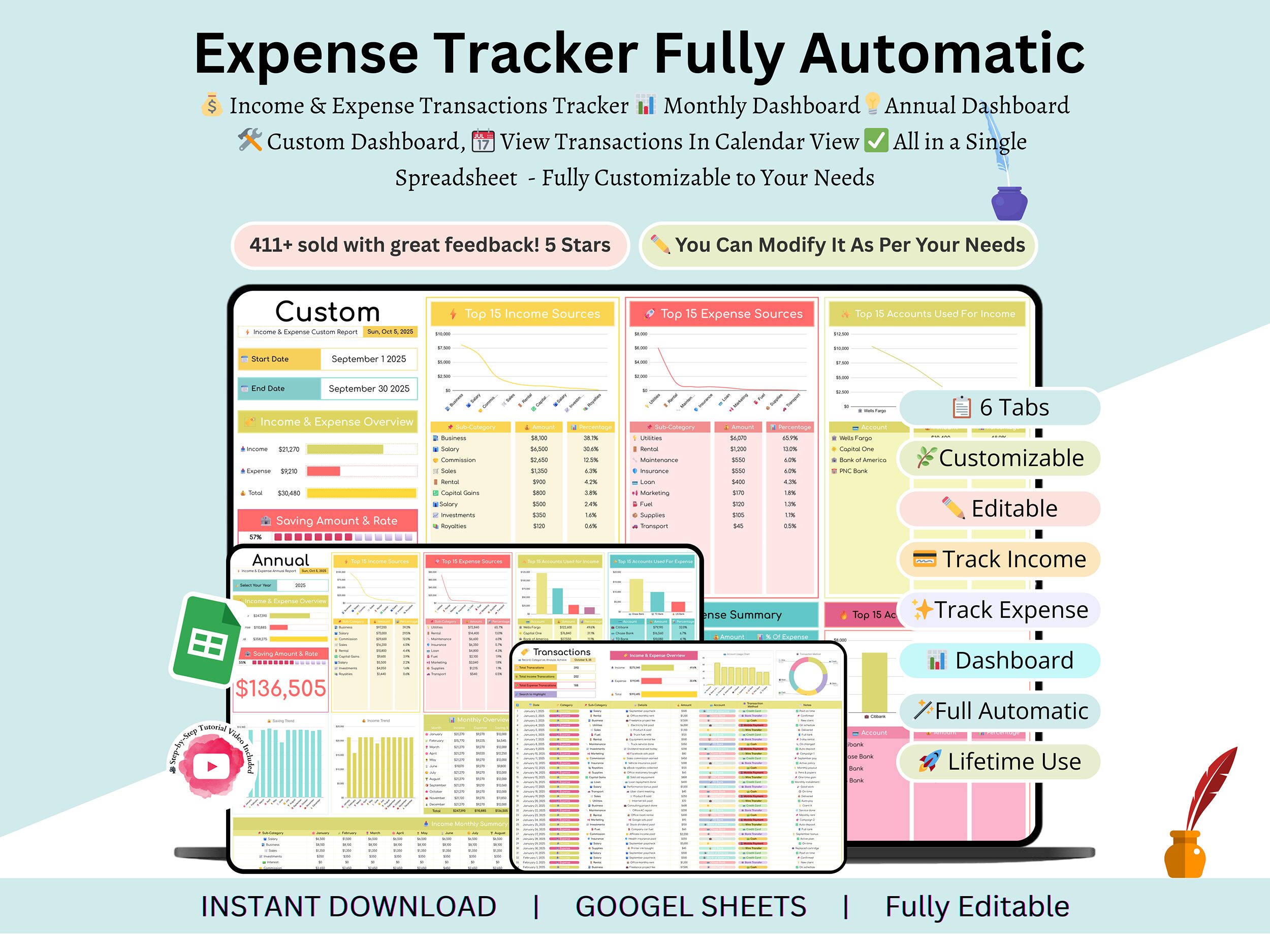
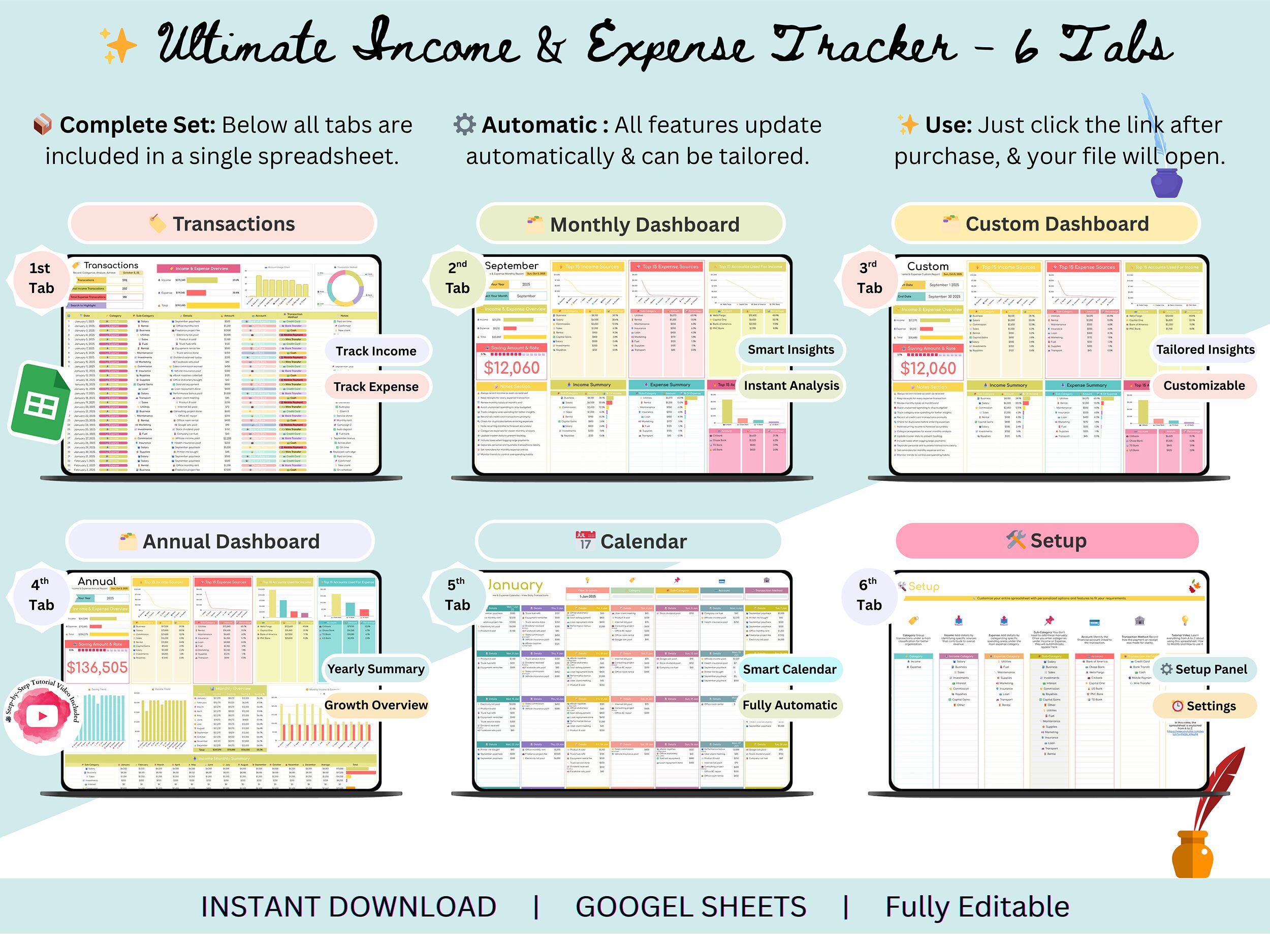
What’s Included (6 Tabs)
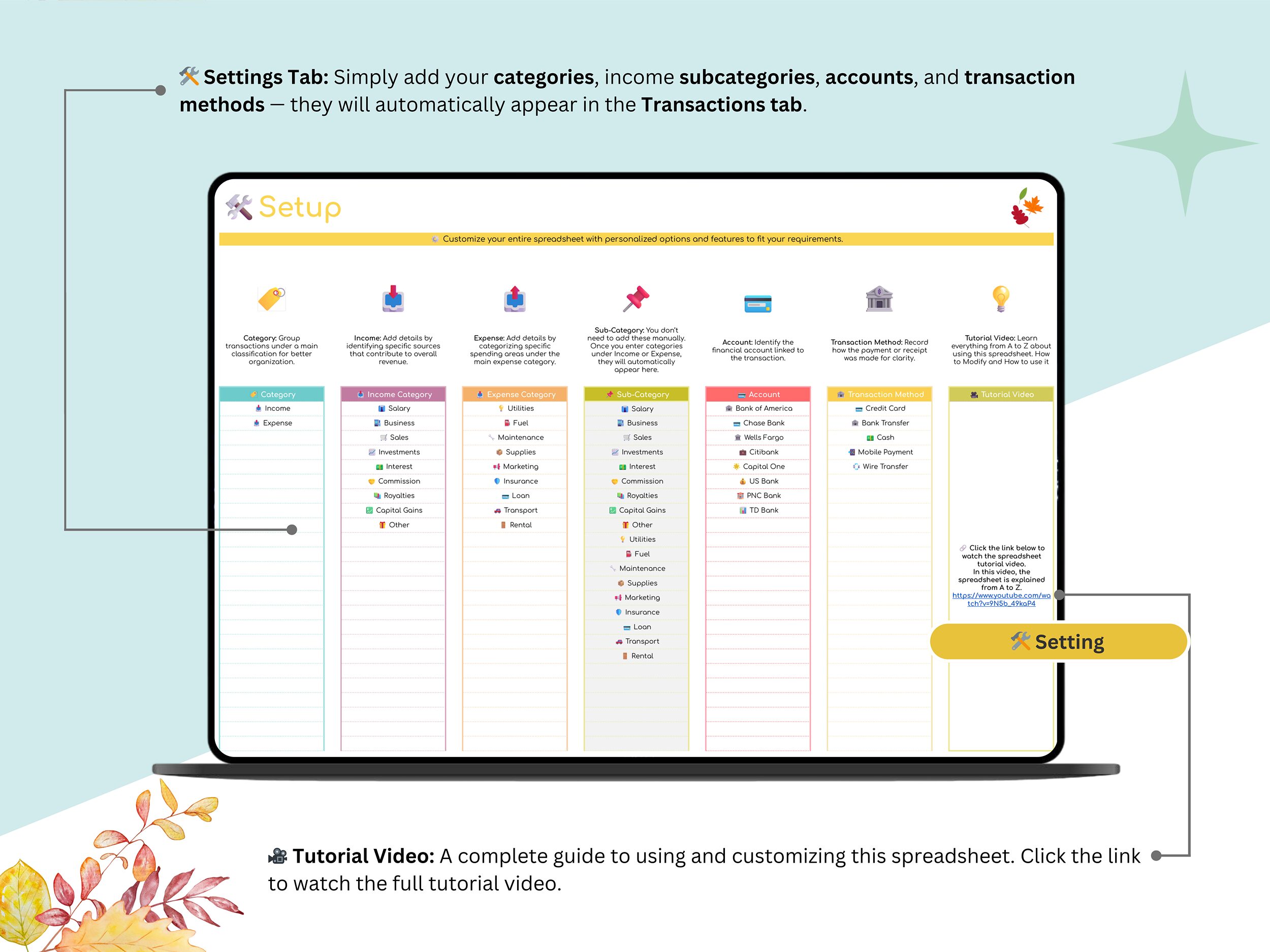
Settings Tab — Set your currency, categories, and financial year up front. Takes a couple of minutes.
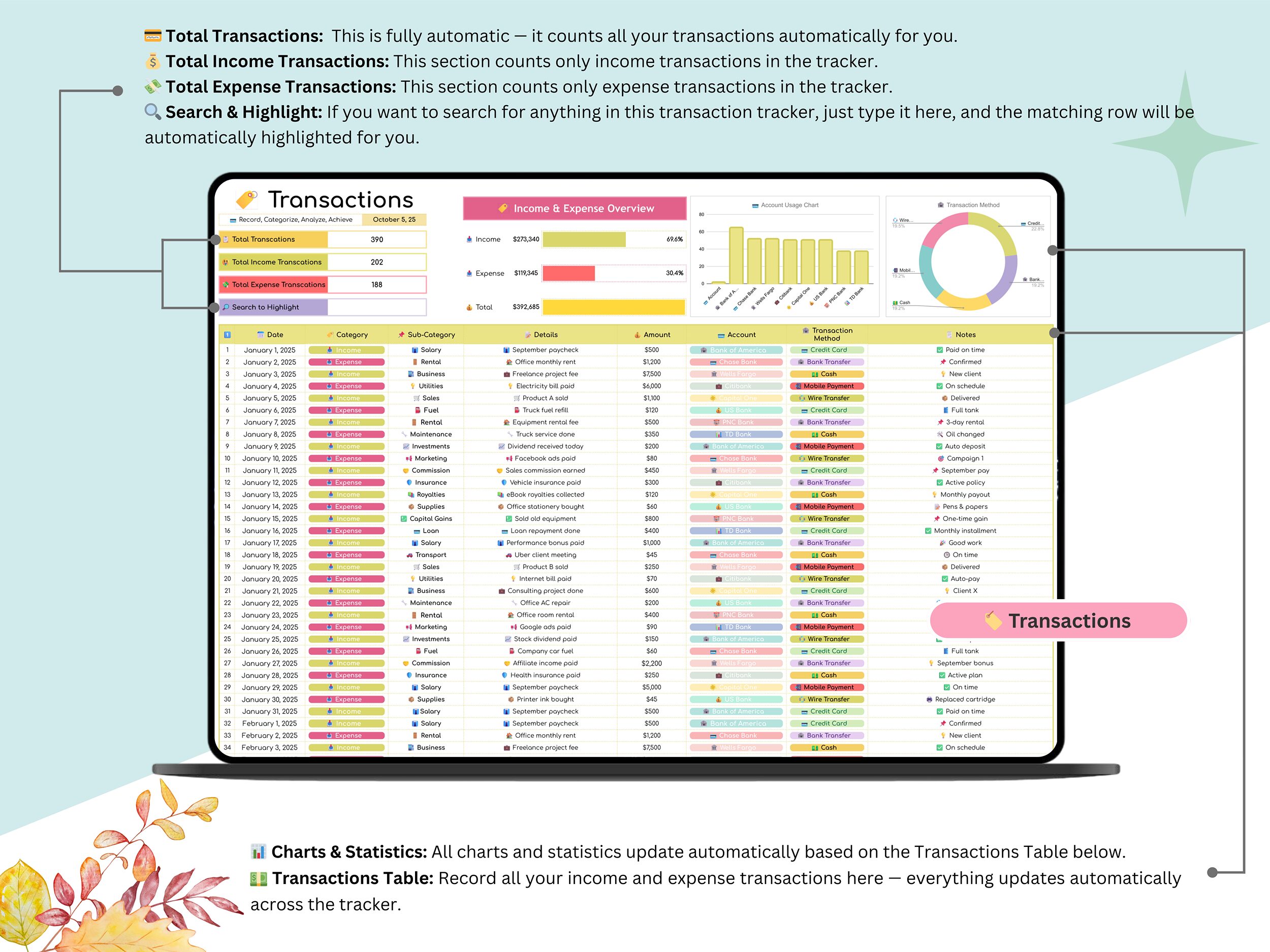
Transactions Tab — This is where everything gets logged. One entry here, and every dashboard downstream updates on its own.
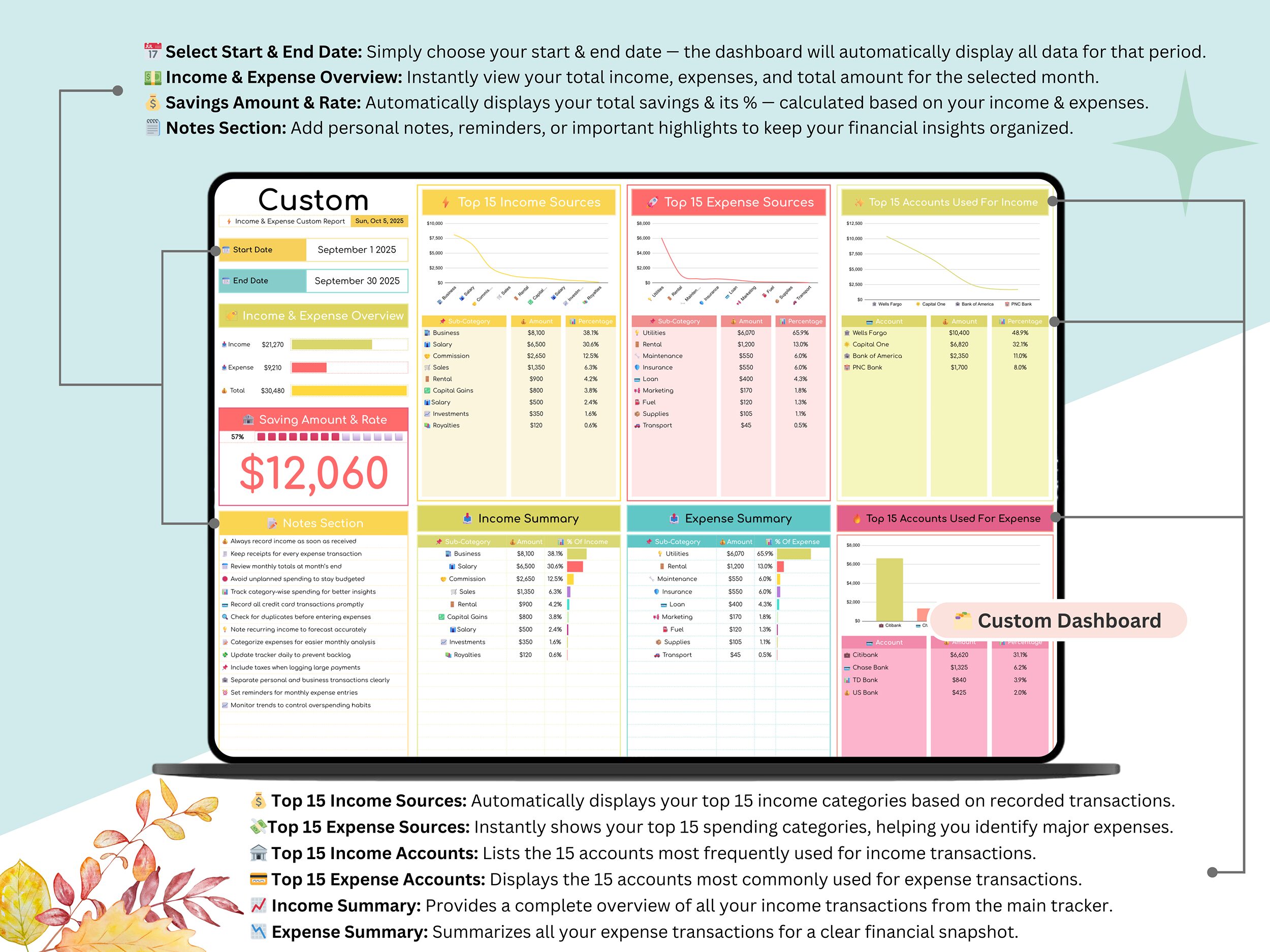
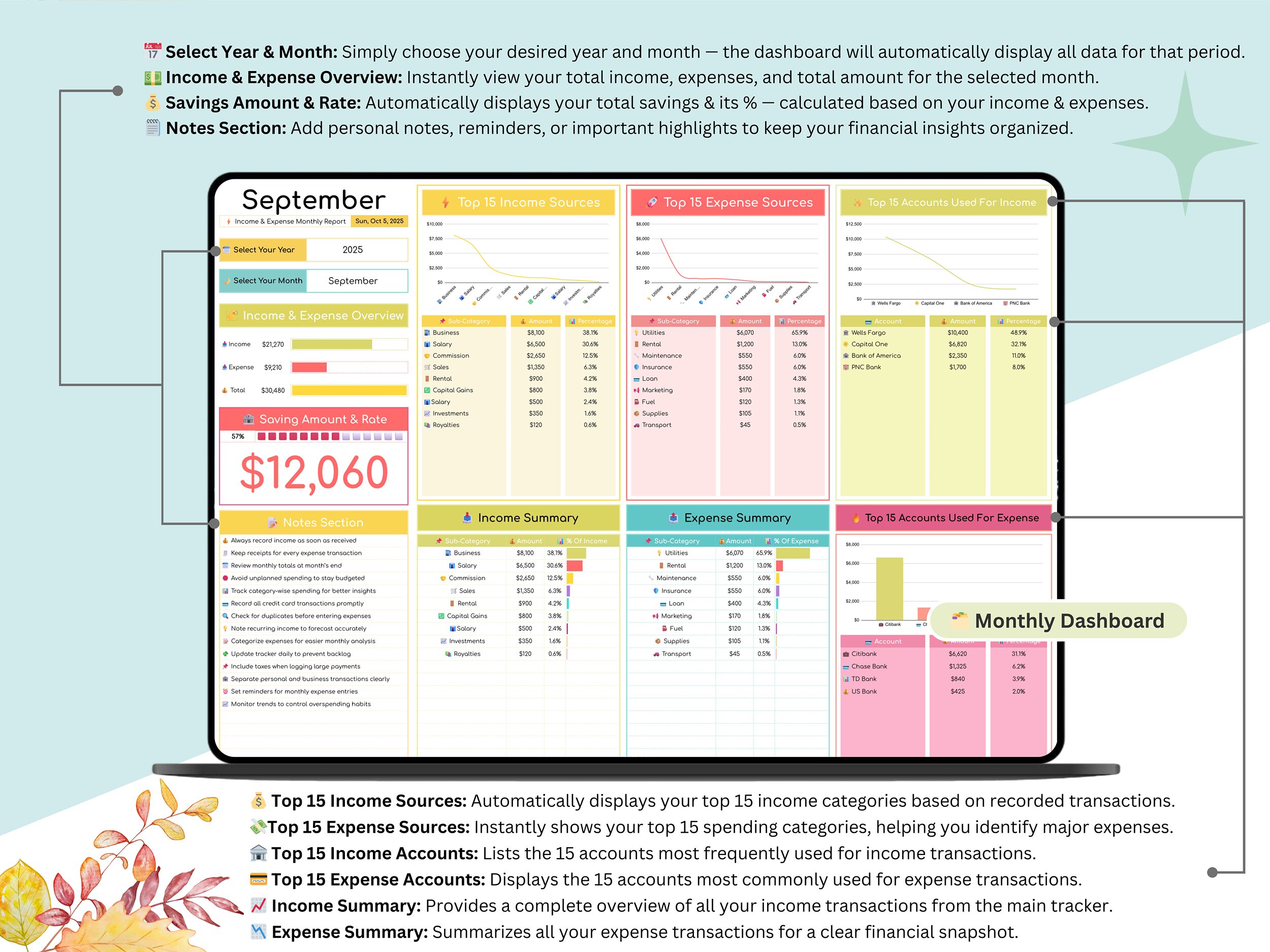
Monthly Dashboard — Income, expenses, savings, spending trends — all in one view. This google sheets monthly expense tracker layout makes it obvious where your budget’s leaking.
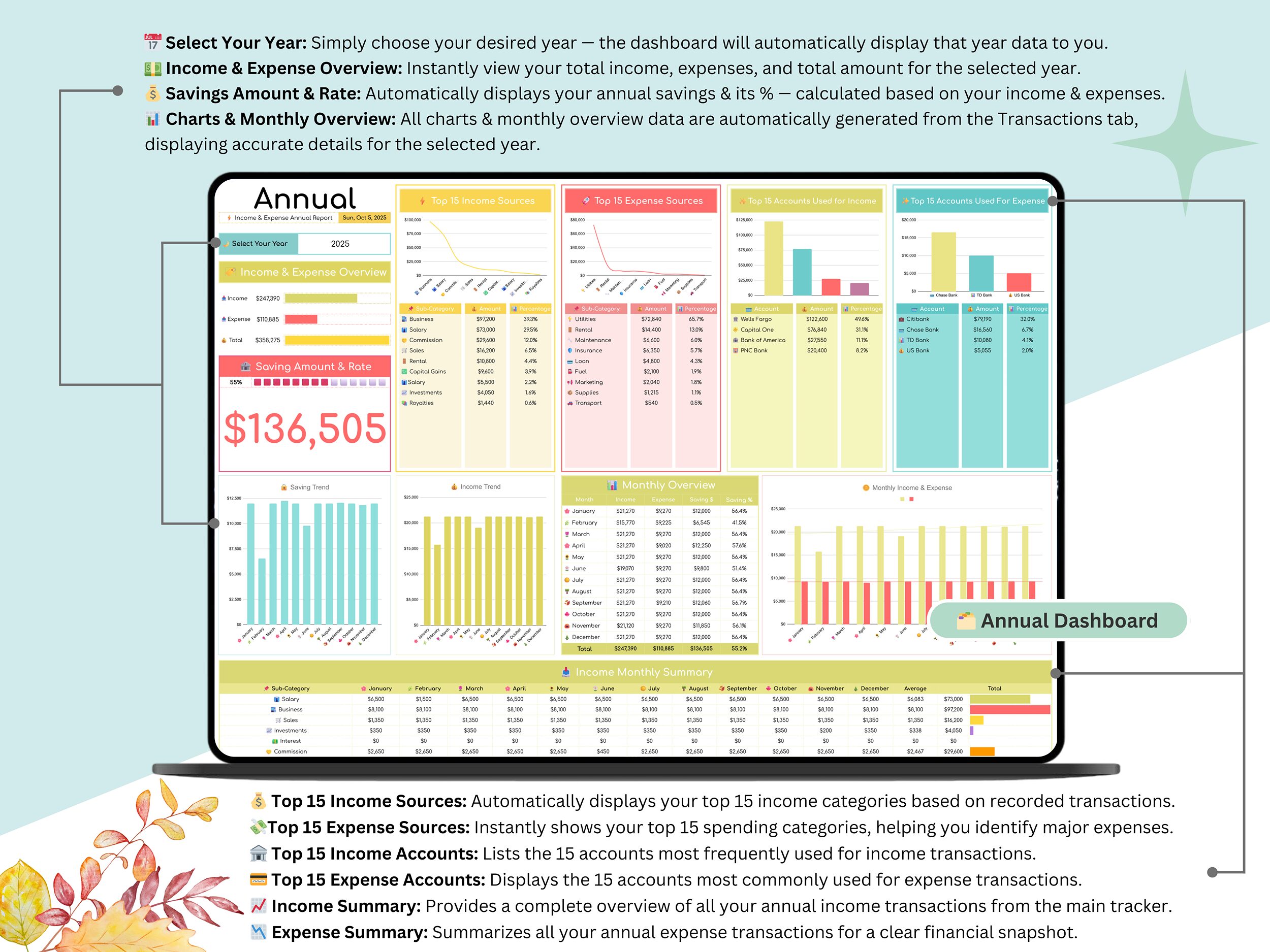
Annual Dashboard — Zoom out and see the whole year: growth trends, expense patterns, how your savings have moved over time.
Custom Dashboard — Want to slice the data differently? Build your own report here.
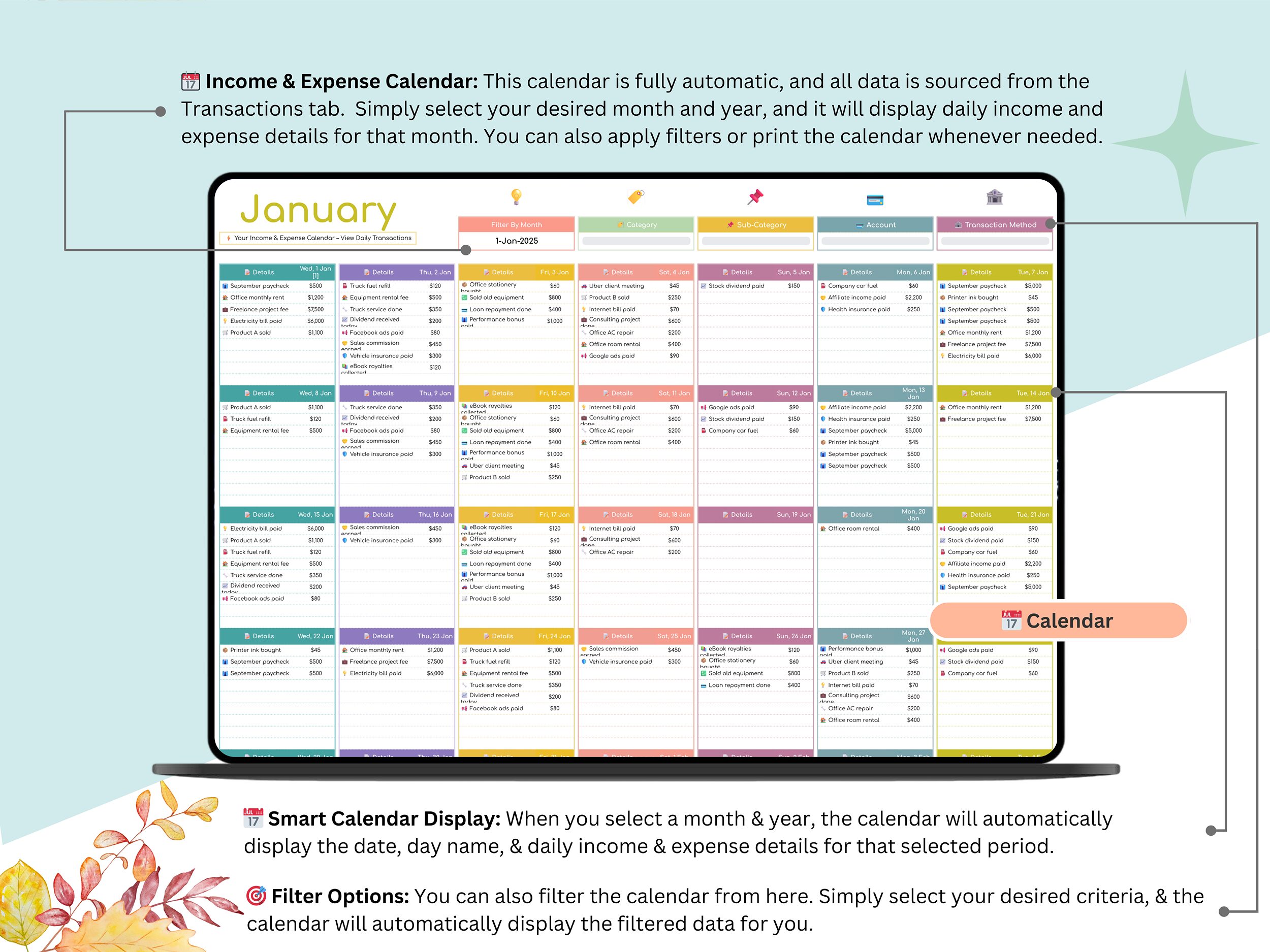
Income & Expense Calendar — A day-by-day view of totals. Fully automated, and honestly kind of satisfying to look at once it’s populated.
Key Features
✅ Dashboards update the second you log a transaction — no refreshing, no recalculating
✅ Charts that actually show you where the money’s going, not just numbers on a page
✅ Built-in savings rate calculator, tracked monthly and by percentage
✅ Income and expense categories, fully customizable to fit however you actually spend
✅ Month/year dropdown filters for instant reporting
✅ Clean, beginner-friendly layout — you don’t need to be a spreadsheet person for this one
✅ Cloud-based and works in google sheets — nothing to download, nothing to install
✅ Flexible enough to double as a business expense tracker google sheets option if you’re freelancing or juggling more than one income stream
Who It’s For
- Individuals trying to get a handle on personal or paycheck-to-paycheck budgeting
- Small business owners who need income and expenses tracked without hiring an accountant for it
- Freelancers with income coming from more than one place
- Anyone who wants an expense tracker template google sheets doesn’t require a tutorial to figure out
How It Works
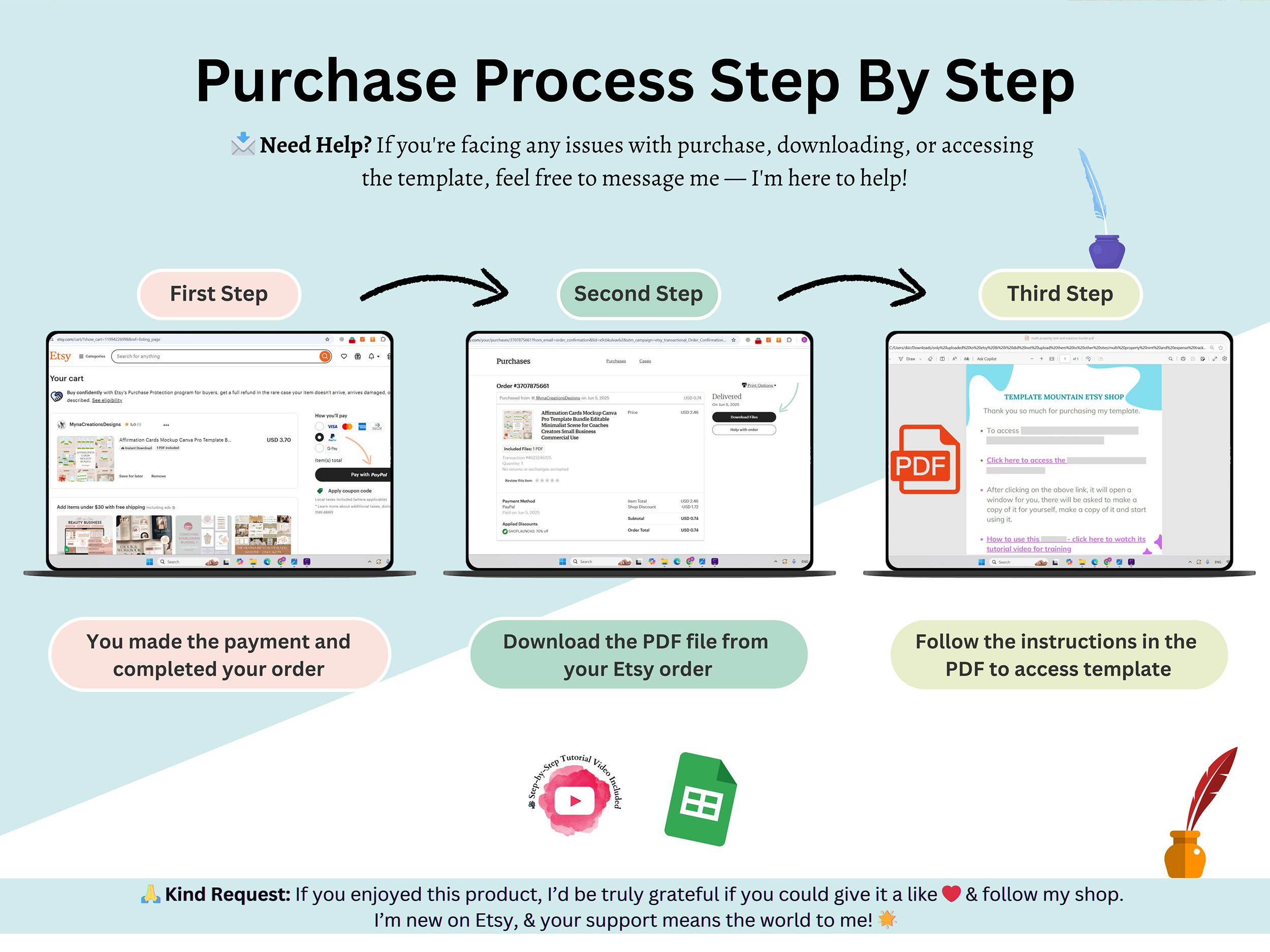
- Purchase, and access is instant
- Open the included PDF guide, click through to your Google Sheets copy
- Set your currency, categories, and starting month
- Start logging — the dashboards take it from there
Support
Stuck on setup? Message anytime, happy to help sort it out. And if the tracker saves you time, a review genuinely helps other people find it — takes thirty seconds and means a lot.
FAQ
Does this work in Excel, or only Google Sheets?
Only Google Sheets, sorry — it’s built around Sheets-native formulas, so it won’t function properly if you try to open it in Excel.
Do I need to know spreadsheet formulas to use this?
Not really, no. Everything — dashboards, charts, calculations — is already built. You just type in your transactions and the rest happens on its own.
Can I use this for a small business instead of just personal finances?
Yes, easily. Head into the Settings tab and rename the categories to match your business — from there it works just as well as a business expense tracker.
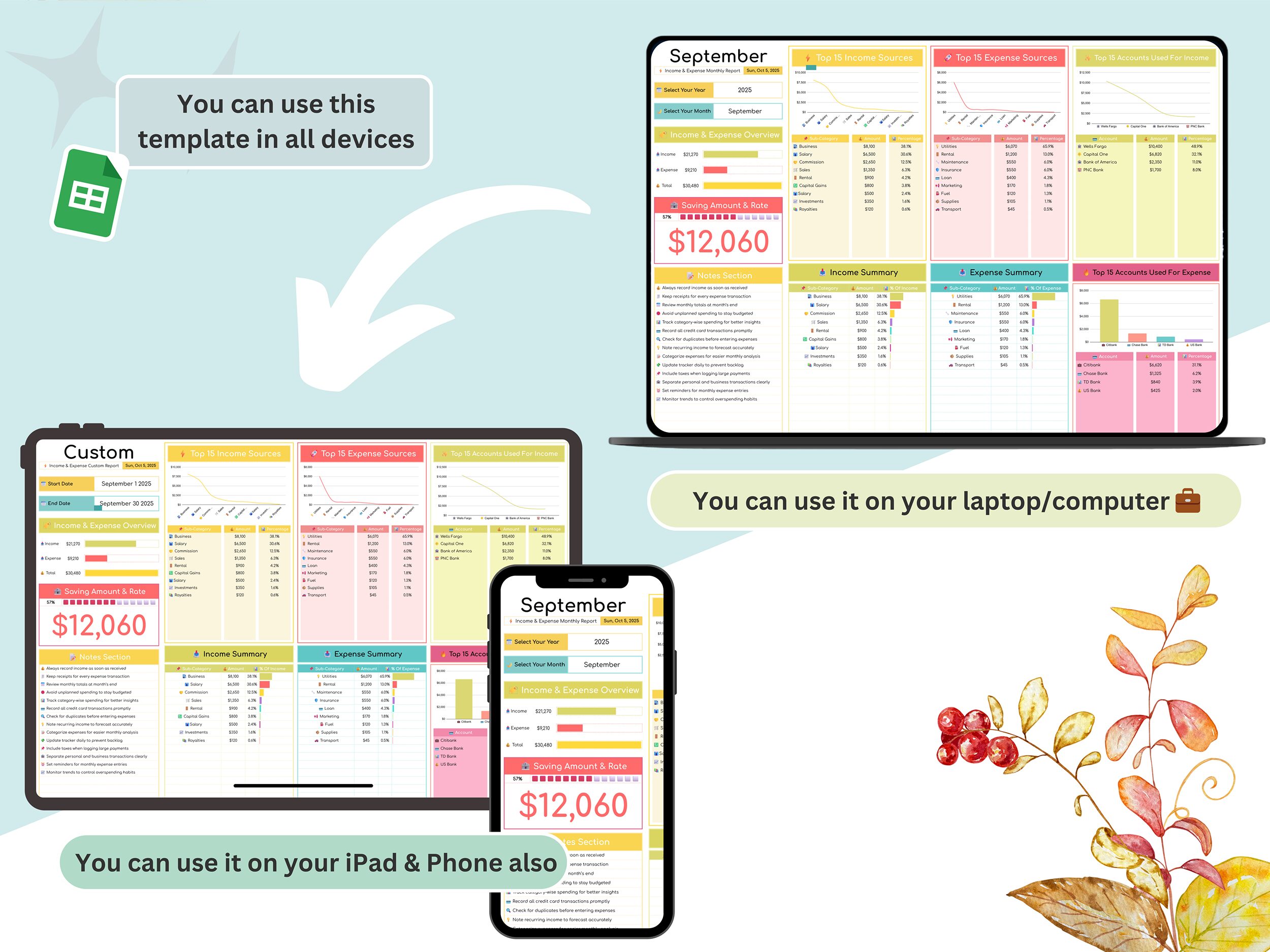
Is there a mobile version?
It runs through the Google Sheets app, so technically yes. That said, the dashboards were designed with a bigger screen in mind — desktop or tablet is where it looks and works best.
What currency does it support?
Whatever you need. Set your currency symbol once in the Settings tab, and it carries across every tab automatically.
Will I get updates if the template changes down the line?
[Fill this in based on what you actually offer — worth confirming before this goes live so you’re not promising something you can’t deliver.]
Reviews
There are no reviews yet.