
Description
Income & Expense Tracker – Google Sheets Budget Template
We built this Income & Expense Tracker because most budgeting spreadsheets fall apart within a month. You start strong, then life happens, and suddenly you’ve got three half-finished tabs and a pile of receipts you never logged. This one’s meant to actually stick.
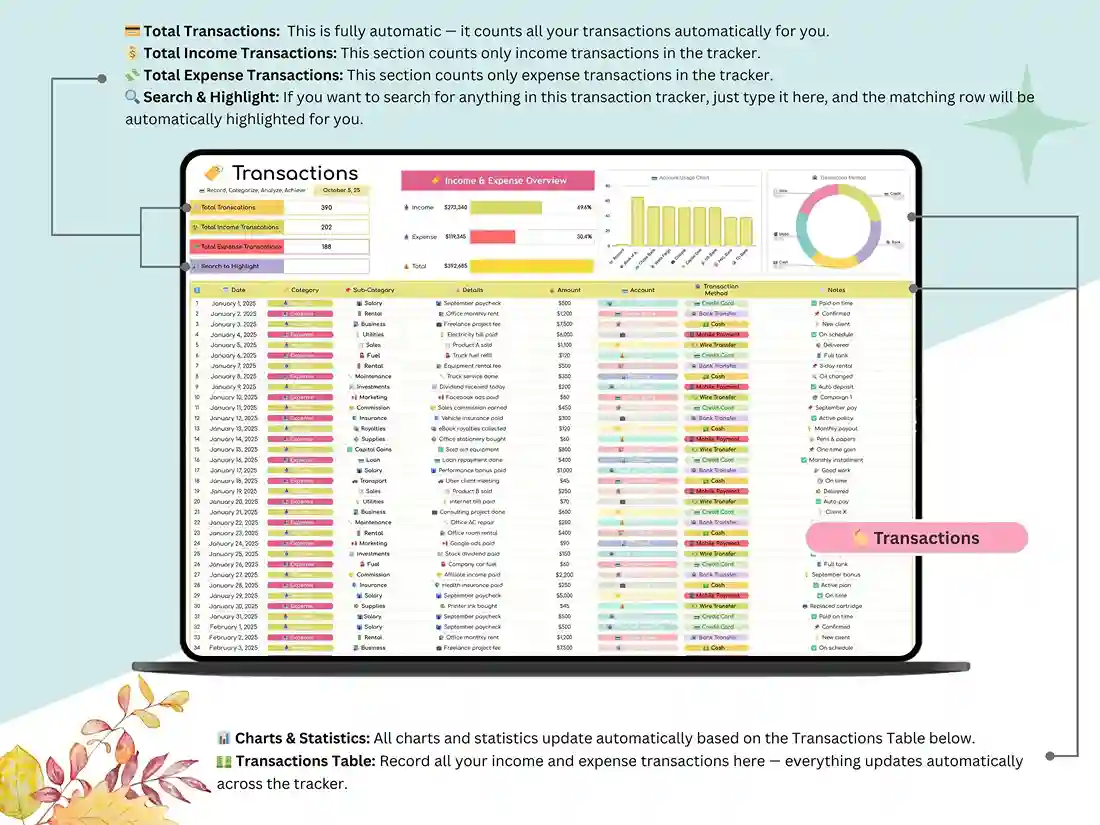
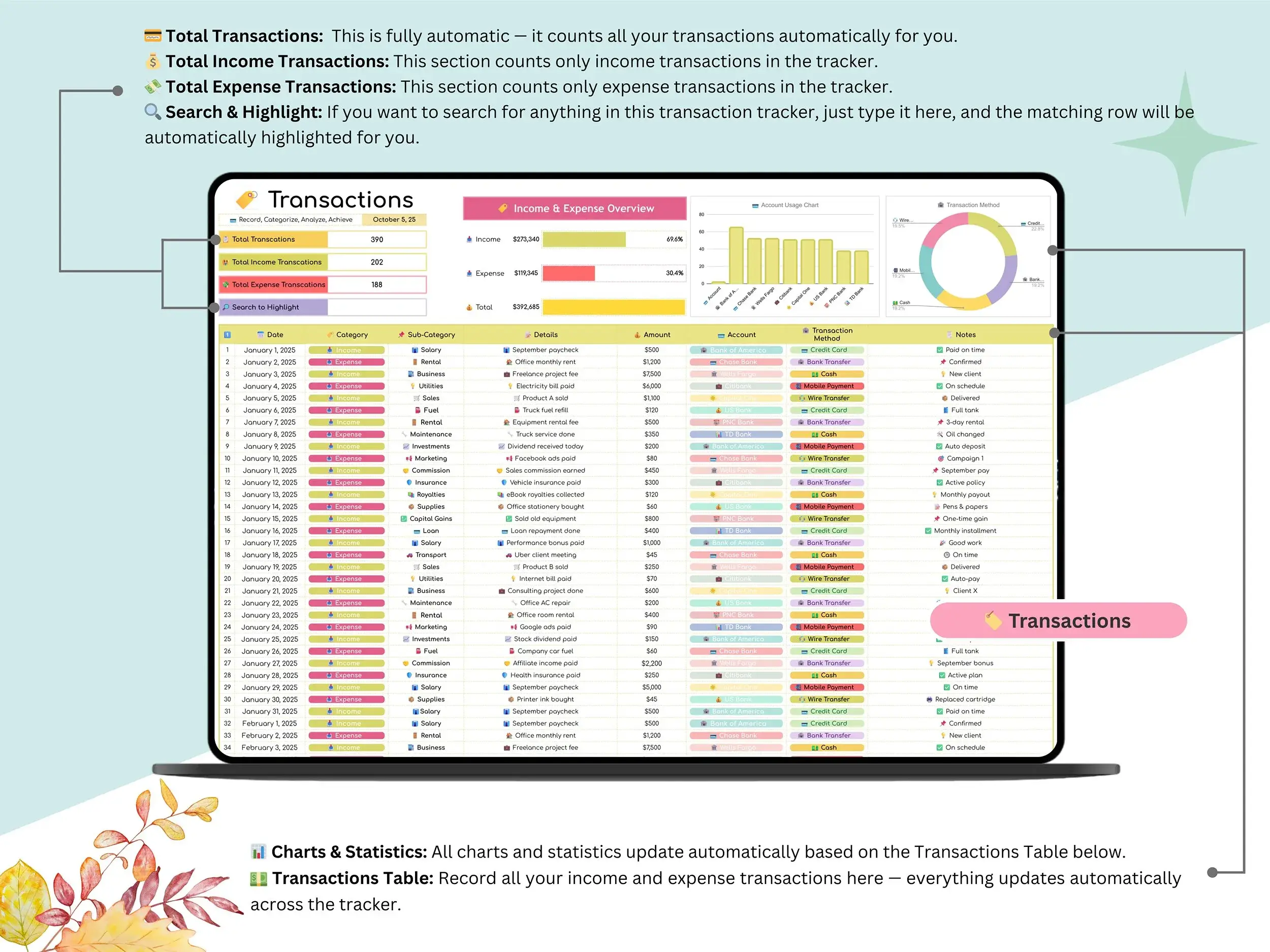
You log a transaction, and that’s it. No touching formulas, no rebuilding charts, no wondering if you broke something. The dashboards update on their own the second you hit enter.
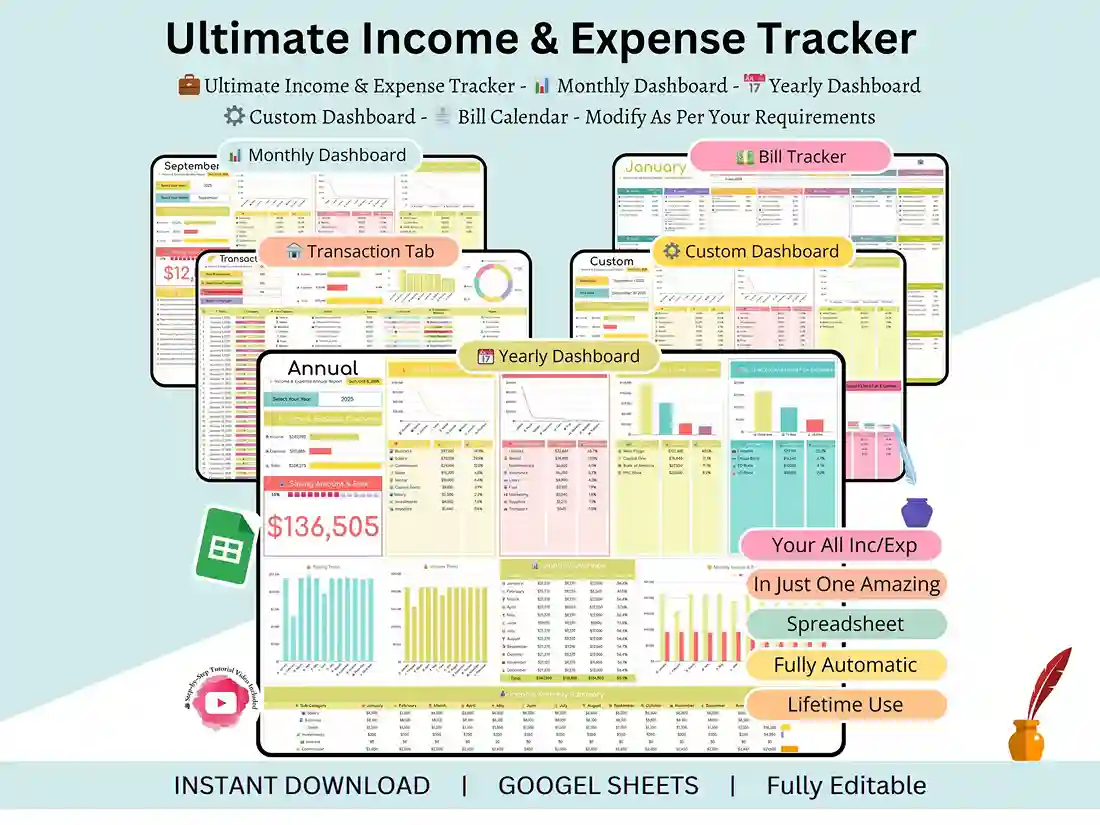
Here’s what’s running in the background:
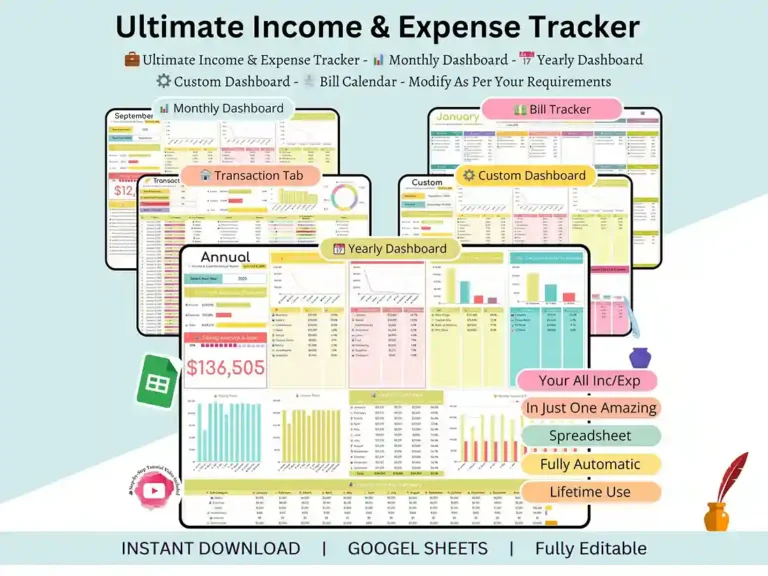
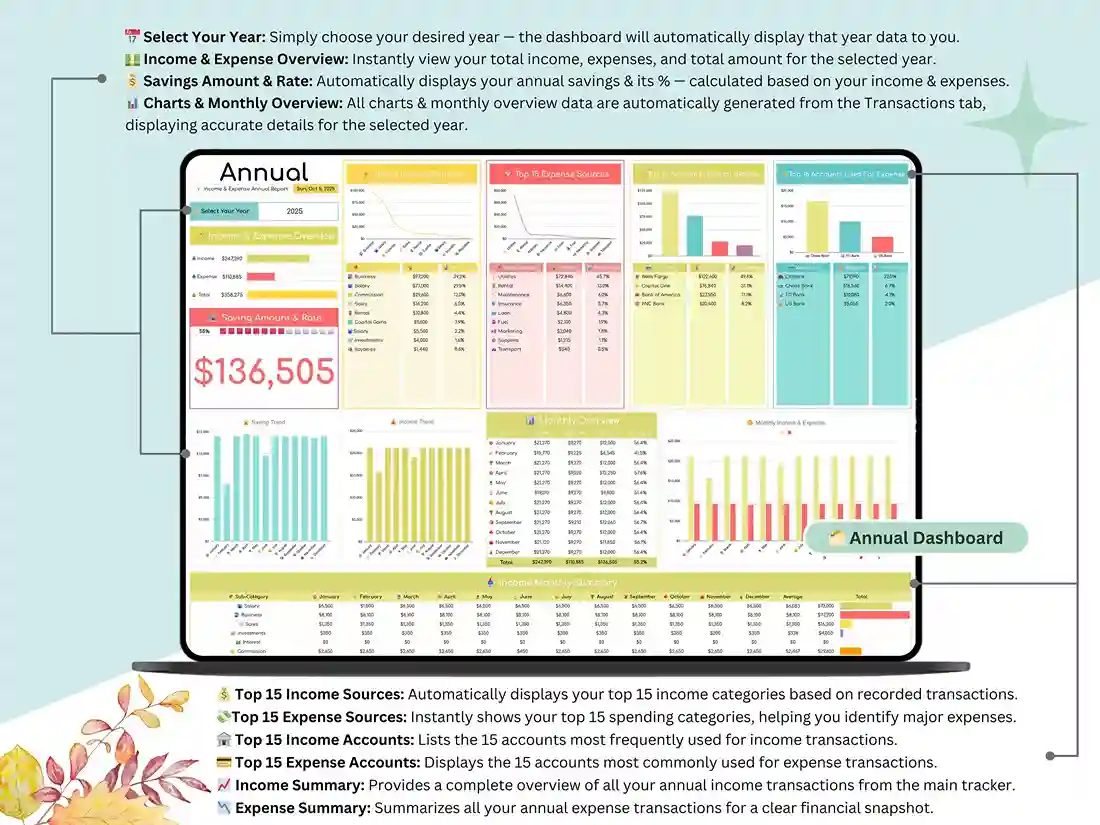
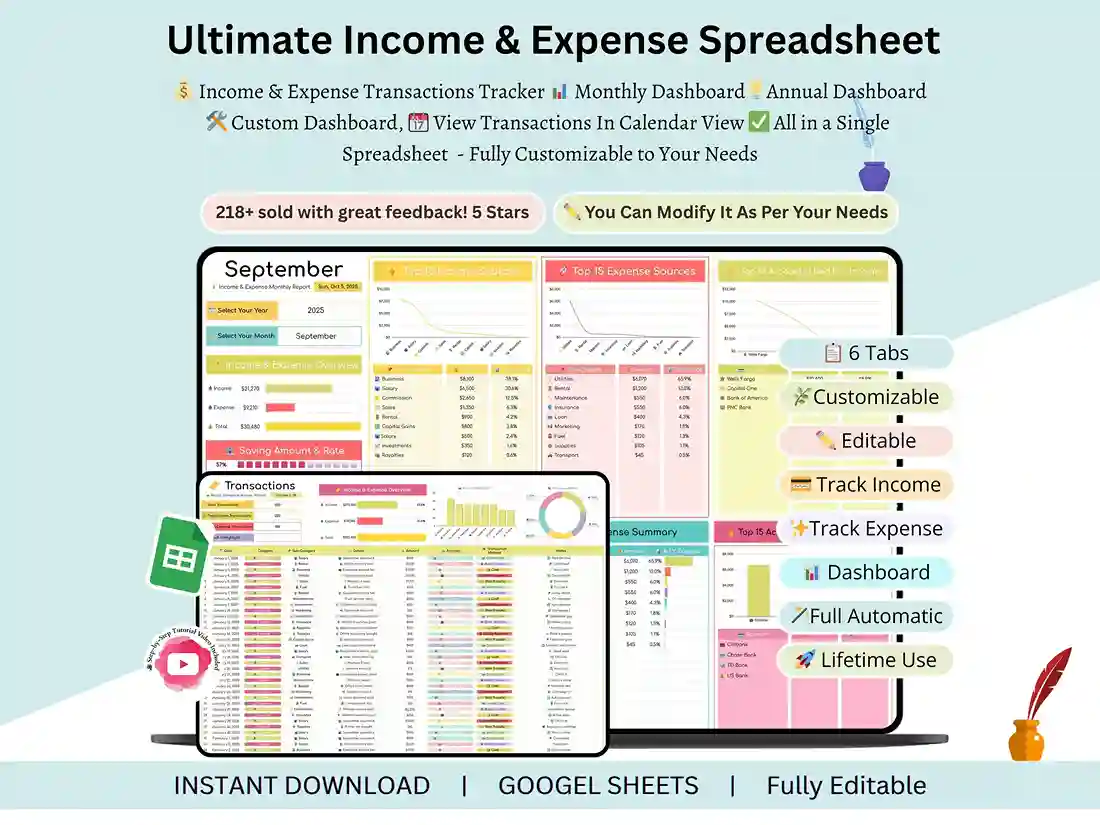
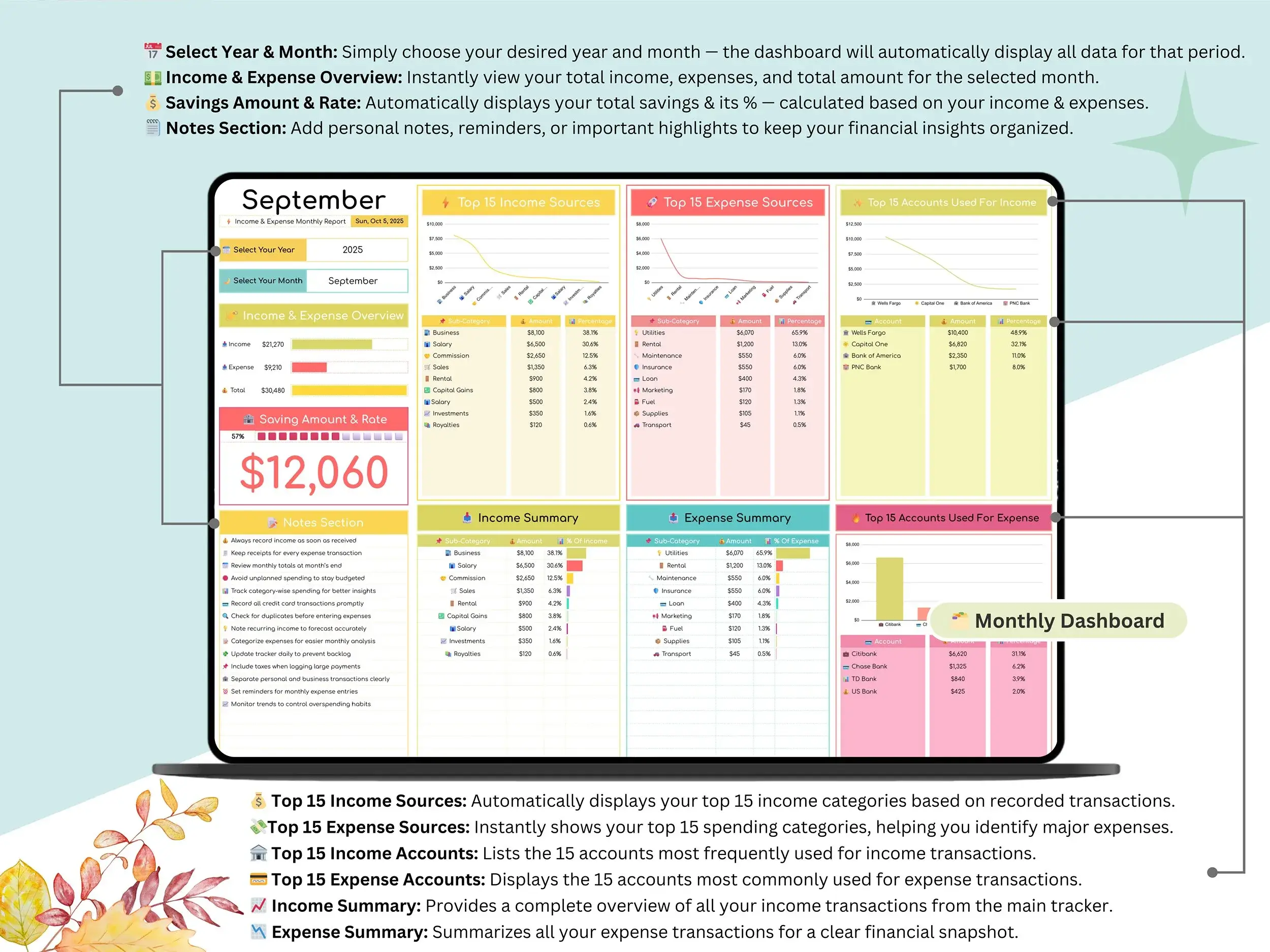
- Automated dashboards that refresh automatically as you add transactions
- Spending charts broken out by category and color, so patterns jump out at you instead of hiding in rows of numbers
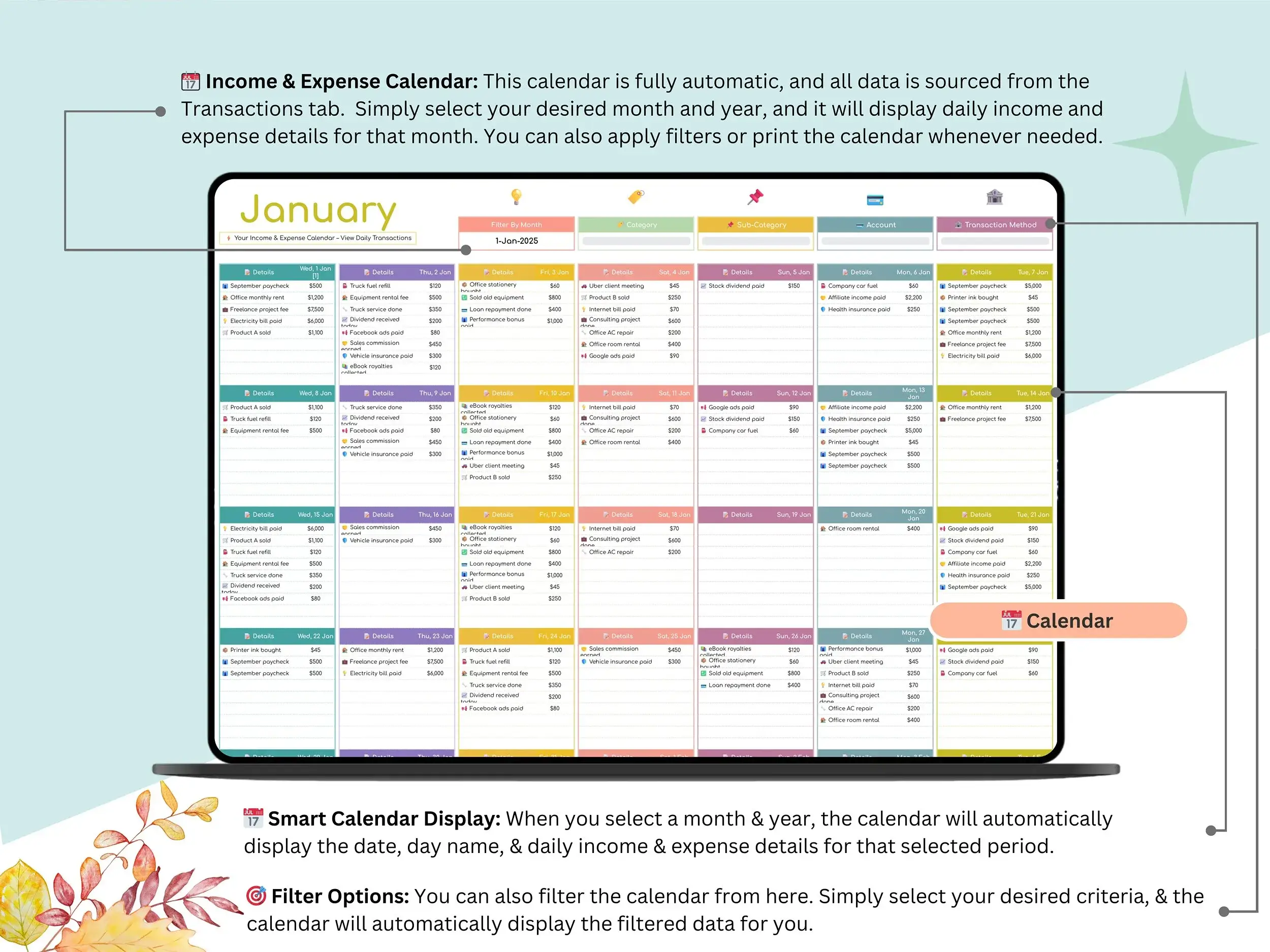
- A monthly view for quick check-ins and an annual view for the bigger picture
- A savings tracker that keeps a running total and works out your monthly savings rate for you
- Full compatibility with both Google Sheets and Excel, so it doesn’t matter which one you’re already comfortable with
Who it’s actually good for
If you’re just trying to get your personal budget under control, it works fine for that — nothing about it assumes you’re an accountant. Freelancers tend to like it because it keeps every income source in one spot instead of scattered across invoices and bank apps, which makes tax time a lot less painful. And if you’re running a small business, it gives you a real read on cash flow and monthly expenses without paying for bookkeeping software you don’t need yet.
Budget however you already think about money
Some people plan around every paycheck. Some swear by the 50/30/20 budget. Others want a true zero-based budget where every dollar gets assigned somewhere before the month starts. This tracker doesn’t force one method on you — the categories and settings are yours to edit, so it bends to whatever system you’re already using (or trying to build).
What’s in the box
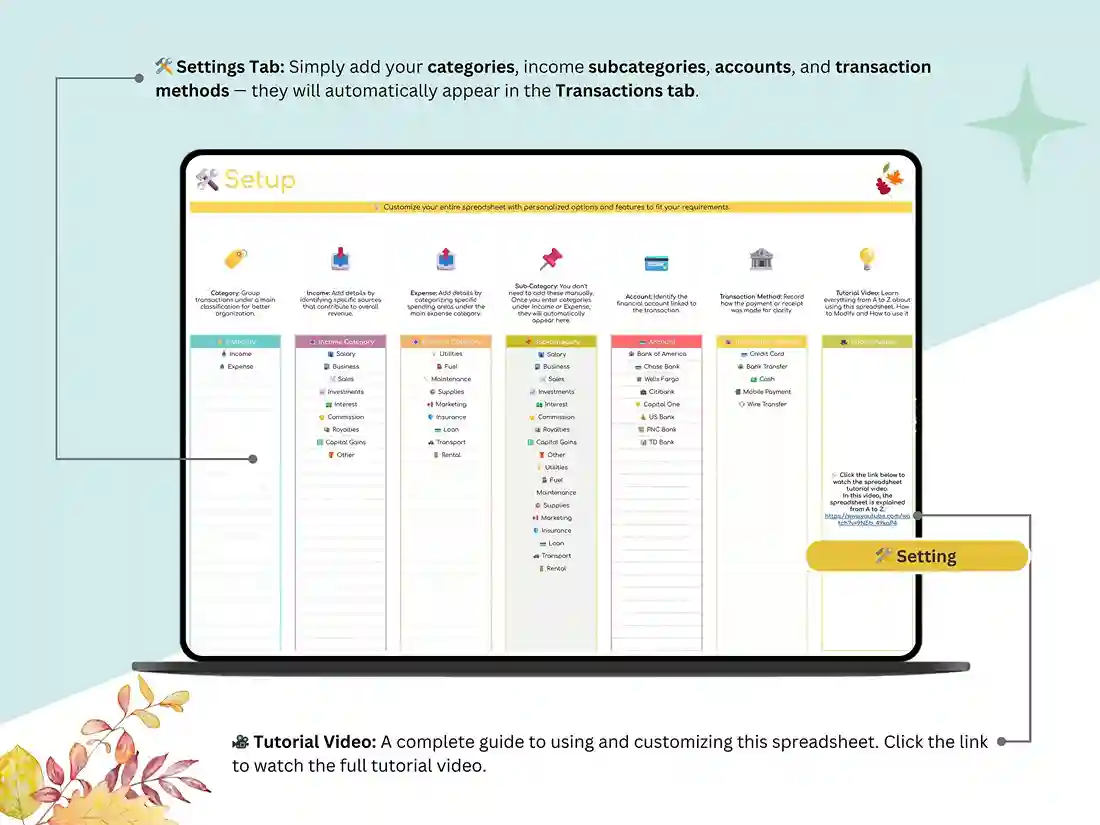
You get the Google Sheets file the moment you purchase, along with a video that walks through setup step by step. Currency, categories, and layout are all editable from the Settings tab.
Why people stick with it
It’s automated, so you’re not maintaining formulas by hand. It gives you charts instead of raw numbers you have to interpret yourself. It works whether you’re managing a household budget or a small business. And it’s genuinely built for someone who’s never touched a finance spreadsheet before — no software to install, nothing extra to learn.
If you’ve been putting off getting your finances organized, this is a reasonable place to start.
FAQ
Does this only work in Google Sheets, or can I use Excel? It’s built in Google Sheets, but it works just as well in Excel if that’s what you’re more used to.
I run a small business — is this really made for that, or is it more of a personal budget thing? Both, honestly. The categories and settings adjust to fit either use, so it works as a personal budget tracker or a small business expense and cash flow tracker depending on how you set it up.
I’m not great with spreadsheets. Will I be able to figure this out? Yes. It’s built with that in mind, and there’s a step-by-step setup video included so you’re not guessing.
What do I actually get after I buy it? The Google Sheets file link and the setup video, both right away. Nothing to wait on.
Can I change the categories or set a different currency? Yes — that’s all done through the Settings tab, and you can edit categories, currency, and layout to match how you actually budget.
Does it work with 50/30/20 or zero-based budgeting? It does. The categories aren’t locked to one method, so you can set it up for paycheck-based planning, 50/30/20, zero-based budgeting, or whatever system you’re already following.
Reviews
There are no reviews yet.