
Description
Booking Tracker Template – Excel & Google Sheets Calendar
You know the feeling — a booking scribbled in a notebook, another confirmed over text, a third one you’re pretty sure you wrote down somewhere. Then a client shows up, and someone else is already in that slot. It’s not that you’re disorganized; it’s that the tools you’re using were never built to talk to each other. This tracker was built so that stops happening.
It doesn’t matter if you’re running a salon, renting out a property on weekends, booking a shared meeting room for your team, or just trying to keep your freelance calendar straight — you get one Booking Tracker spreadsheet where every booking, every client, and every payment lives in the same place.

What’s actually inside
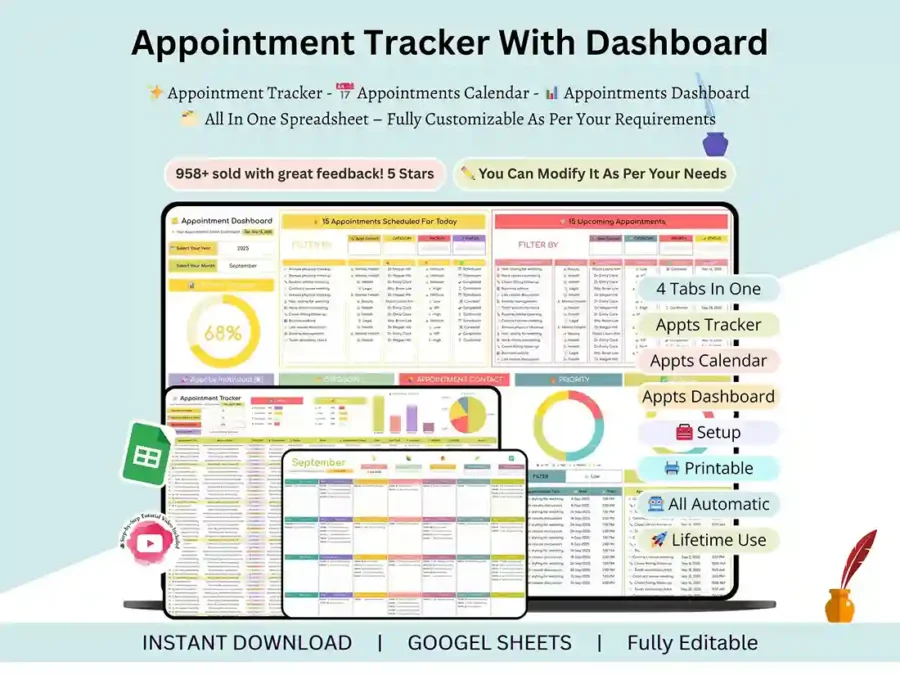
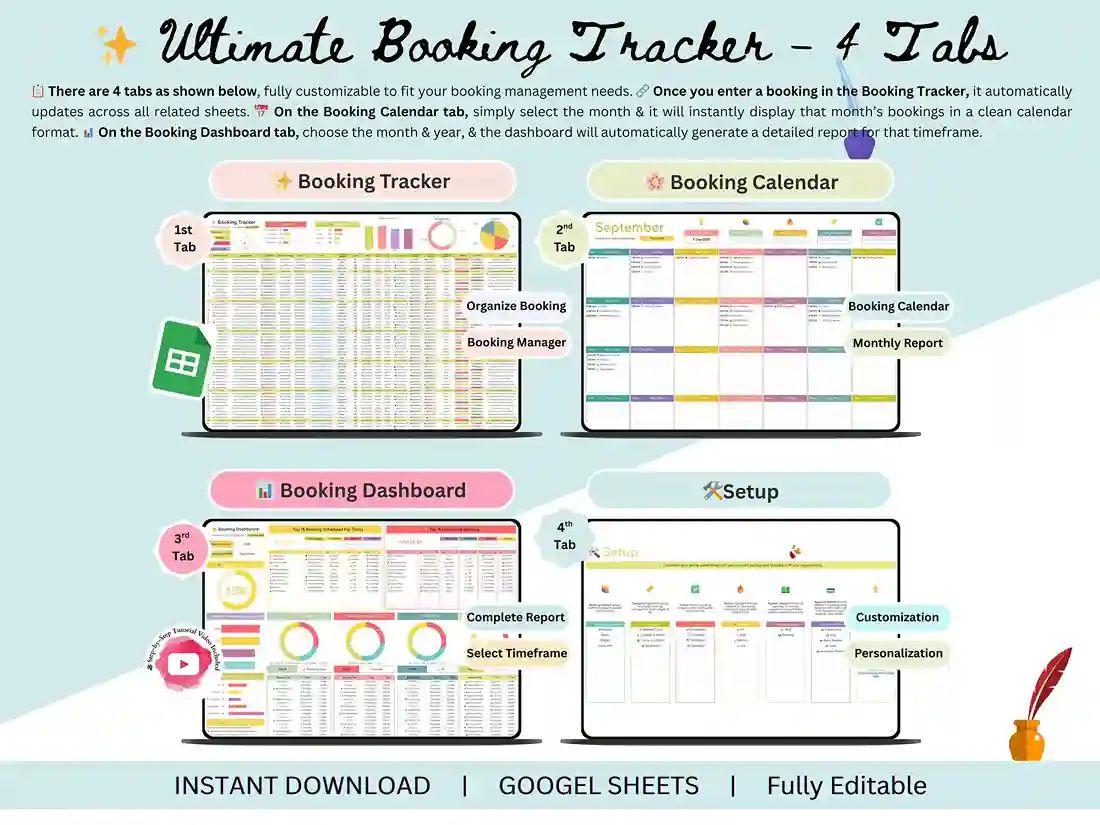
Setup tab. You fill in your business details once, right at the start, and the rest of the sheet pulls from that automatically. No re-typing your info five times.
Booking Tracker tab. This is where you log and manage bookings day to day. Everything’s color-coded, so a glance tells you what’s confirmed, what’s still pending, and what’s been paid.
Booking Calendar tab. Your whole month laid out visually — no digging through rows to figure out what’s booked when.
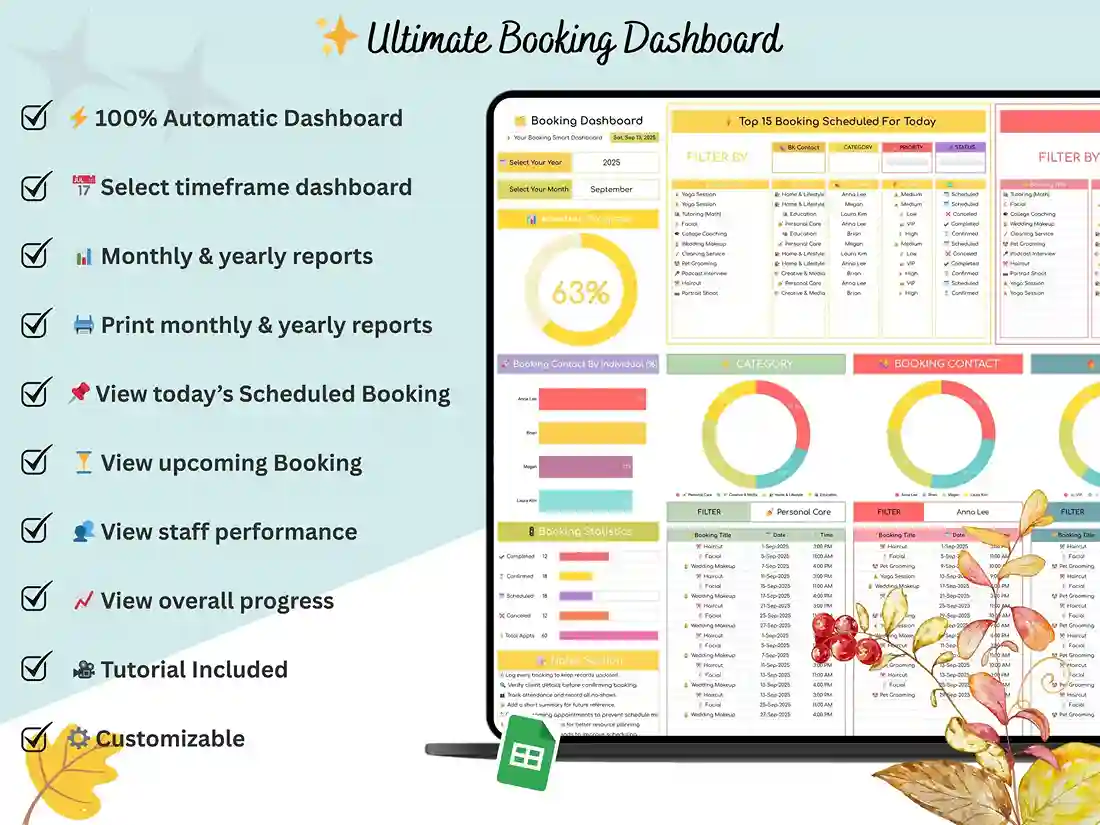
Booking Dashboard tab. Charts and summaries build themselves as you enter data. You’re not sitting there counting up last month’s bookings by hand.
Who this is actually for
We didn’t build this to be vaguely useful to everyone — that usually means it’s genuinely useful to no one. It was built with specific people in mind:
- Hotels, guesthouses, and vacation rental owners tracking rooms or properties
- Salon, spa, and fitness studio owners managing client sessions and payments
- Event planners keeping track of guests, vendors, and venue bookings
- Car rental and transport businesses managing vehicle bookings
- Freelancers and consultants who need their client calendar in one place
What it actually helps you get done
- Know exactly who’s paid, who owes a deposit, and who’s fallen behind
- See open slots at a glance instead of scanning a wall of text
- Keep client contact info sitting right next to their booking history
- Log guests or clients in and out without a separate system
- Watch your booking activity summarize itself, automatically
Excel or Google Sheets — your call
Both versions come in your download. Use whichever one you’re already comfortable with. Nobody’s making you learn a new tool just to try this out.
Getting started
Buy it, download it, open it in Excel or Google Sheets, fill in your setup tab, and start logging. That’s genuinely it.
If you get stuck
Message us — we actually answer. And if this ends up saving you the headache it’s meant to, a review means a lot to a small shop like ours.
FAQ
Does this work in Excel and Google Sheets, or do I have to pick one? Both are included in your download. Use one or switch between them — whatever fits how you and your team actually work.
I’m not great with spreadsheets — will I be able to figure this out? Yeah, honestly. The Setup tab walks you through the basics once, and after that most of it updates on its own. There’s also a step-by-step video in case you want to see it in action first.
Can I check my bookings from my phone? Through Google Sheets, yes — full mobile access. The Excel version is really built for desktop use, so if mobile matters to you, lean on the Sheets version day to day.
Will this actually stop me from double-booking someone? It won’t physically block you, but the color-coded layout makes it a lot harder to miss an overlap — you’re looking at a clear picture of what’s open instead of scrolling through a list hoping you didn’t miss something.
Can I change things to match how my business actually runs? Every tab, field, and label is editable. Rename things, add categories, drop what you don’t need — it’s your file once you buy it.
Is this a subscription, or do I pay once? One-time payment, $5, and it’s yours for good.
What happens if I get stuck setting it up? Just message us. Support’s included, and we’d rather help you get it working than have you give up on it.
Can I get a refund? Since it’s delivered instantly as a digital download, we can’t offer refunds after purchase. If you’re unsure whether it fits your setup, send us a message first and we’ll help you figure that out before you buy.