


Description
Student Behavior Tracker – Behavior Chart | Google Sheets
If you need a simple way to see how a child’s behavior is trending — not just today, but over the whole month — this behavior tracker was built for exactly that. It’s a fully editable Google Sheets file that lets you log daily behavior, then rolls everything up into monthly summaries and visual reports automatically, so you’re not doing the math yourself.

Built for Teachers, Parents, and Homeschoolers
This student behavior tracker works equally well in a classroom, at home, or in a homeschool setting. Teachers can log behavior for an entire class period by period; parents and caregivers can track one or several kids at home; homeschooling families can fold it into their daily routine alongside lessons. Life coaches and behavior specialists managing multiple clients will find the same daily-and-monthly structure useful too.
What’s Inside
The file is organized into four tabs so nothing gets buried:
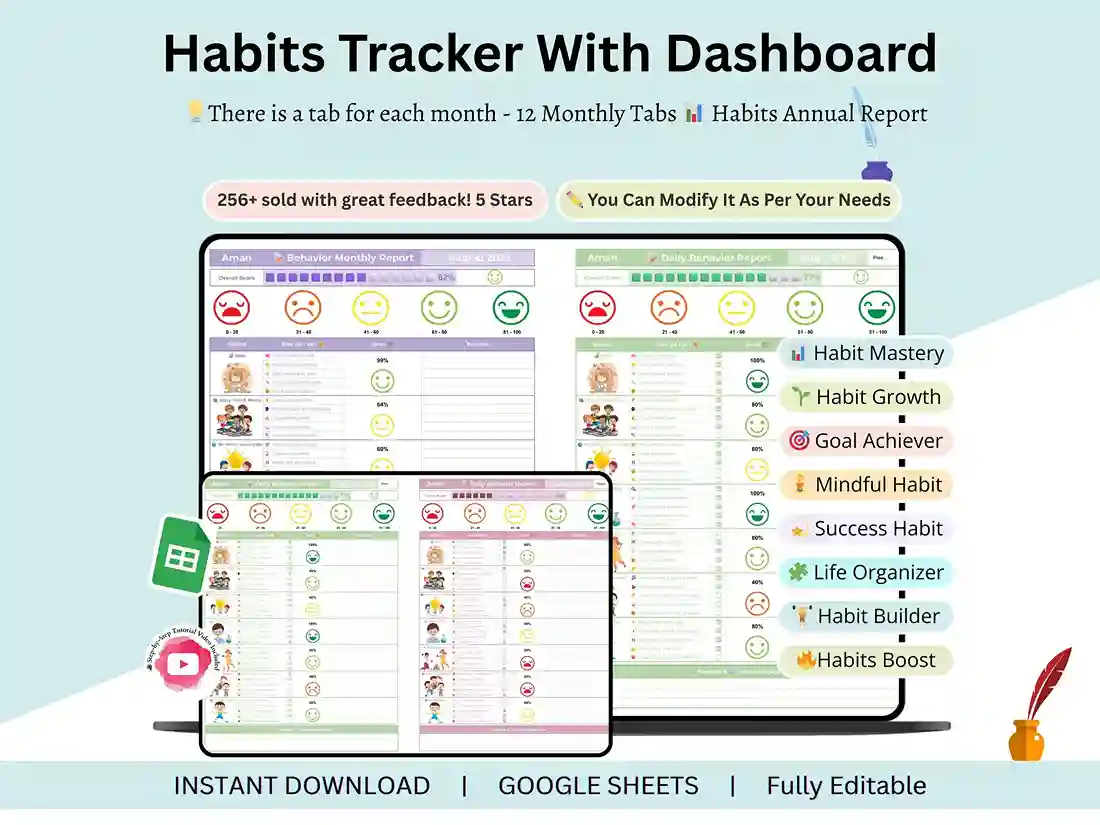
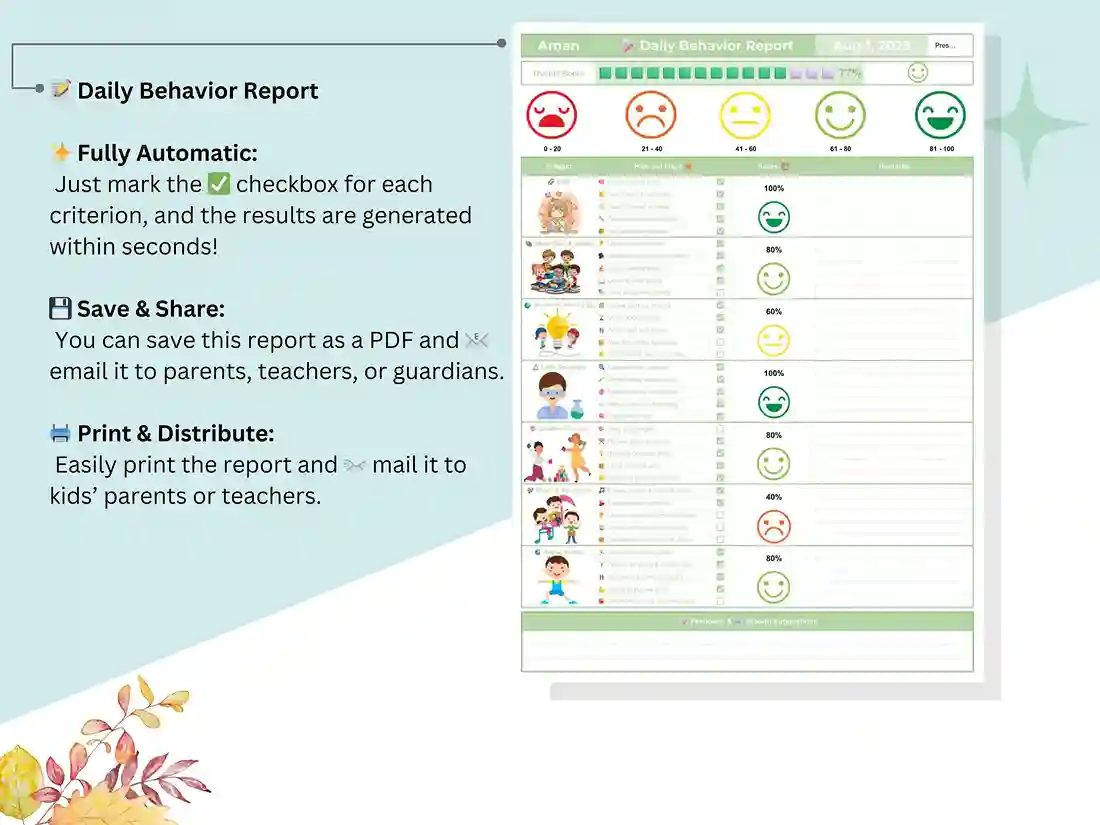
- Daily Behavior Tracker tabs, where you record positive actions, challenges, and notes for each day
- Monthly Overview tabs that summarize the whole month at a glance, so patterns are easy to spot without scrolling back through weeks of entries
- Behavior Report tabs with charts and stats that update automatically as you fill in daily data — this is where the behavior chart and behavior management chart visuals live
- A Settings & Customization tab where you can rename behavior categories and adjust the tracker to match your own system, whether that’s a point scale, color codes, or simple yes/no tracking
You’ll also get a short video walkthrough covering setup and customization, so even if you’ve never touched Google Sheets before, you can have this running in a few minutes.
A Behavior Chart That Actually Shows Progress
Rather than a static chart you fill in by hand, this sheet turns your daily entries into a live behavior tracking chart — trend lines and summaries update as you go, so you can see improvement, or flag a pattern that needs attention, without manually tallying anything. It works as a behavior chart template for a single child or as a classroom behavior tracker for an entire group, and it’s flexible enough to use as a behavior chart for kindergarten student all the way through middle school, since every category is fully editable.
How to Use It
- Purchase and download the file instantly
- Open it in Google Sheets (a free Google account is all you need)
- Start logging behavior daily, check your monthly trends, and adjust categories anytime from the Settings tab
Because it’s a live spreadsheet rather than a printed page, it also works as a digital behavior log for students you can share directly with co-teachers, parents, or guardians — no re-entering data into a second system. Prefer paper? Every tab prints cleanly as a printable behavior chart too.
Questions before you buy, or want help customizing it after? Message me anytime — I’m happy to help you get it set up the way you need it.
FAQ
Does this work in Excel, or only Google Sheets? It’s built and formatted for Google Sheets. Formulas and formatting don’t always translate cleanly to Excel, so for the full experience — auto-updating charts included — use it in Google Sheets. All you need is a free Google account.
Can I track more than one child or student? Yes. You can copy the daily and monthly tabs for as many students or kids as you like, or use the Settings tab to keep multiple names organized on the same tracker.
Is this a printable behavior chart or a digital one? Both. It’s a fully digital, auto-updating behavior tracking sheet inside Google Sheets, and every tab can also be printed if you prefer tracking on paper.
What age range or grade level is this suited for? The categories are fully customizable, so it works as a behavior chart for kindergarten students through middle schoolers — you’re not locked into any age-specific labels.
Can I edit the behavior categories to match my own system? Yes. The Settings & Customization tab lets you rename categories, adjust scoring, and set it up to match whatever behavior system you already use.
How do I access the file after purchase? Upon checkout you will get an instant download link and a short tutorial video on how to open and customize the tracker in Google Sheets.